
Use PDF Print Preflight before sending a document to a print provider. In our real two-page example, the report found one 10 DPI image, two page sizes and one font that may not be embedded. The PDF itself was not changed.
Upload the version you intend to print
Open PDF Print Preflight and upload the final PDF. The viewer shows the pages so you can confirm you selected the right file. The check uses the original bytes; rewriting the document first could hide the properties you want to inspect.
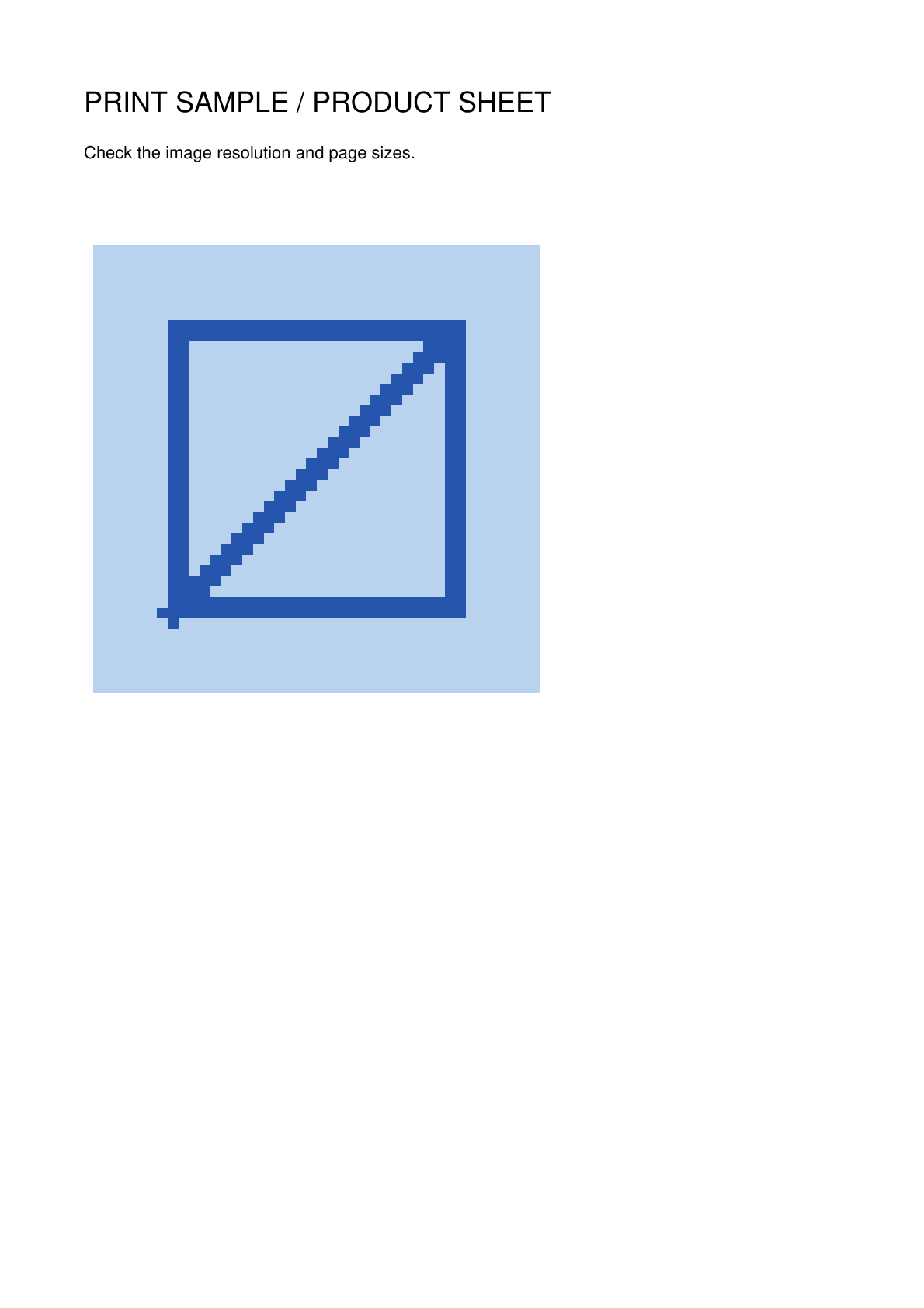
Our example has two pages. Page 1 contains an enlarged low-resolution image; page 2 uses a different paper size.
Run the print check and read the findings
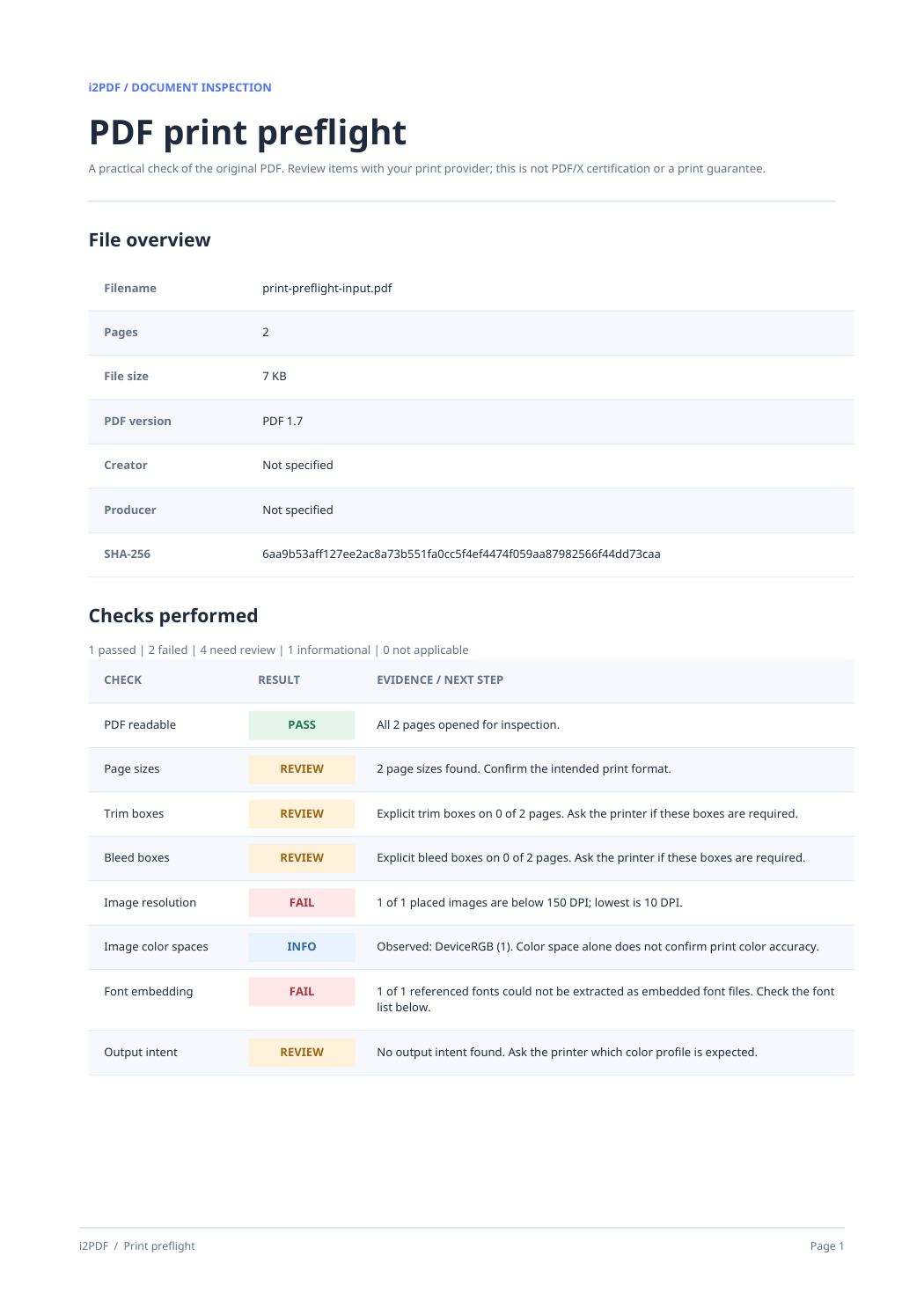
Choose Start. A checklist marks each inspected item as passed, failed, needing review or informational, with the evidence beside it. Open the page and font tables for more detail.
The example flags an effective image resolution of 10 DPI on page 1, two different page sizes and a possible unembedded Helvetica font. Confirm the image and page format with your print provider before production.
Save the report and correct the source
Choose Download report for a readable PDF with the checklist, page dimensions, fonts and findings. The result card also offers text and JSON copies. Each report identifies the checked PDF by SHA-256.
If a finding matters, correct the source document or prepare a new PDF, then check that new file. A preflight report does not repair print problems and does not certify PDF/X compliance.
Common questions
Does preflight change my PDF?
No. It inspects the uploaded bytes and creates a separate PDF report, with optional text and JSON copies.
What does effective image DPI mean?
It compares the image’s pixel dimensions with the space it occupies on the PDF page. Enlarging a small image lowers its effective DPI.
Is a clean report a guarantee that printing will be perfect?
No. The report checks selected properties. Ask your print provider about its exact production requirements.
Check your print file before handoff.
Review the warnings and save a report for the exact PDF you plan to send.