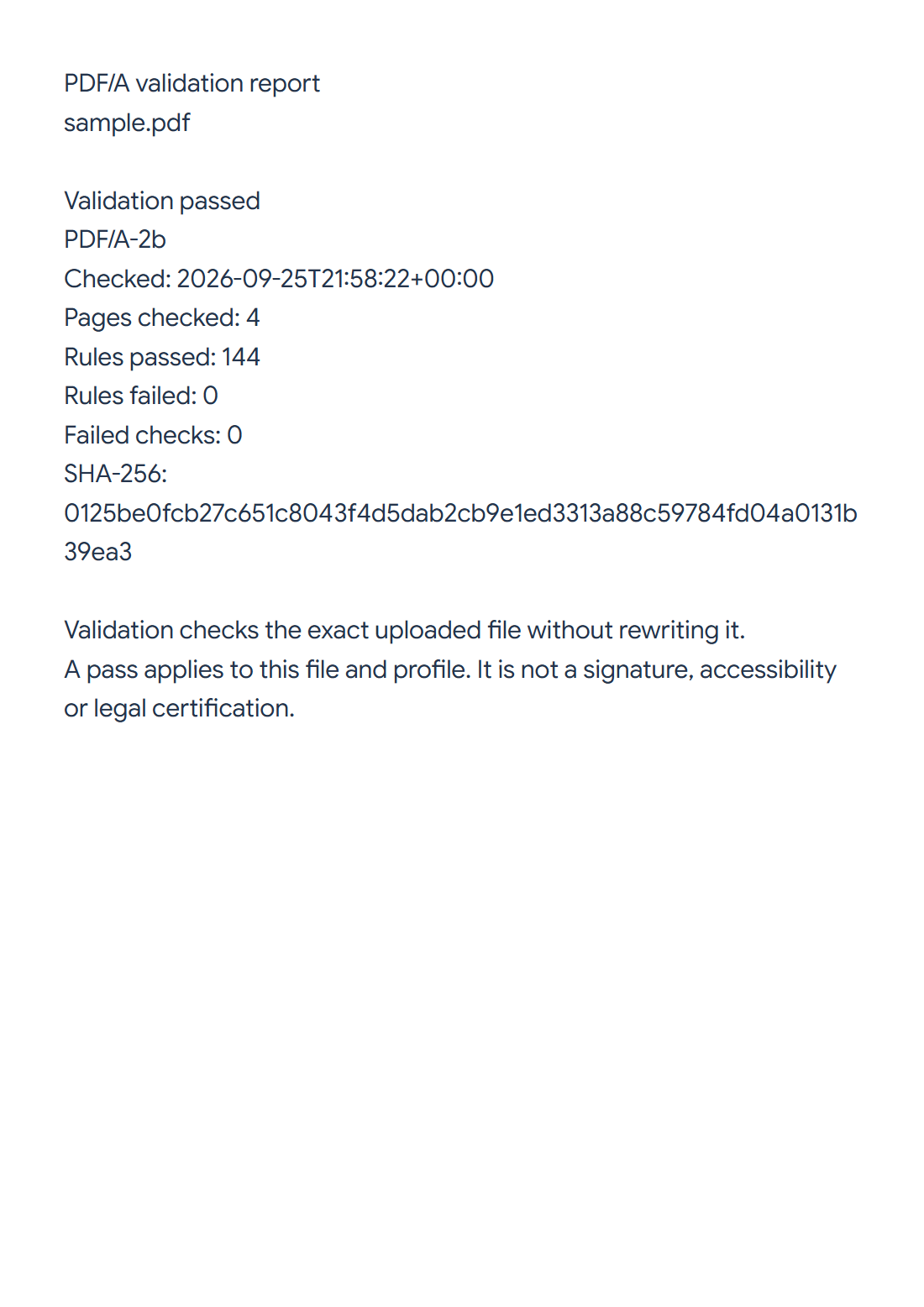

Use PDF/A Validator to check the uploaded file without rewriting it. Our four-page sample passes its declared PDF/A-2b profile, with 144 rules passed and none failed.
Choose the exact file to check
Upload the PDF you will actually archive or share. Even a later edit can affect compliance, so do not rely on a report for an earlier version.
Choose how the standard is selected
Keep Detect from document to check the profile declared inside the PDF, as in the example. Use Choose a standard when the receiving archive requires a specific supported level.
A declared PDF/A label is not itself a successful validation. Run the check and read the outcome against the actual profile.
Read and save the report
Choose Validate PDF/A and save the report. Our result states Validation passed, PDF/A-2b, 4 pages checked, 144 rules passed and 0 rules failed. Its SHA-256 identifies the uploaded file.
If a file fails, review the checks and correct the source, or create an archival copy using PDF to PDF/A. Validate that new output before accepting it.
Common questions
Does validation repair the PDF?
No. It checks the file and creates a report. Conversion or repair produces a new file requiring its own validation.
Can I use this report after editing the PDF?
Revalidate the edited version. The report identifies the checked bytes, and changes can affect compliance.
Try it with your document
Review the result, then save the version you need.