

Use PDF Handwriting Worksheet Generator to create school-stroke name, alphabet, number, vocabulary and connected Arabic tracing sheets directly in your browser—with student names kept completely private on your device. Open PDF Handwriting Worksheet Generator
Pick one of the 12 worksheet presets
Open PDF Handwriting Worksheet Generator and choose from the 12 portrait starter cards—such as Name Tracing, Alphabet Pairs (Aa–Zz), Uppercase or Lowercase Alphabet, Numbers 0–9, Numbers 1–20, Sight Words & Spelling, Sentence Copywork, Pre-Writing Shapes, or Arabic Alphabet & Copywork. Clicking any card opens the live customizer immediately.
If you already have a weekly spelling list in a plain text file (.txt) or a saved .json worksheet configuration, click Import JSON or TXT beneath the gallery to load all rows automatically.
Type your text and choose a tracing style & grade size
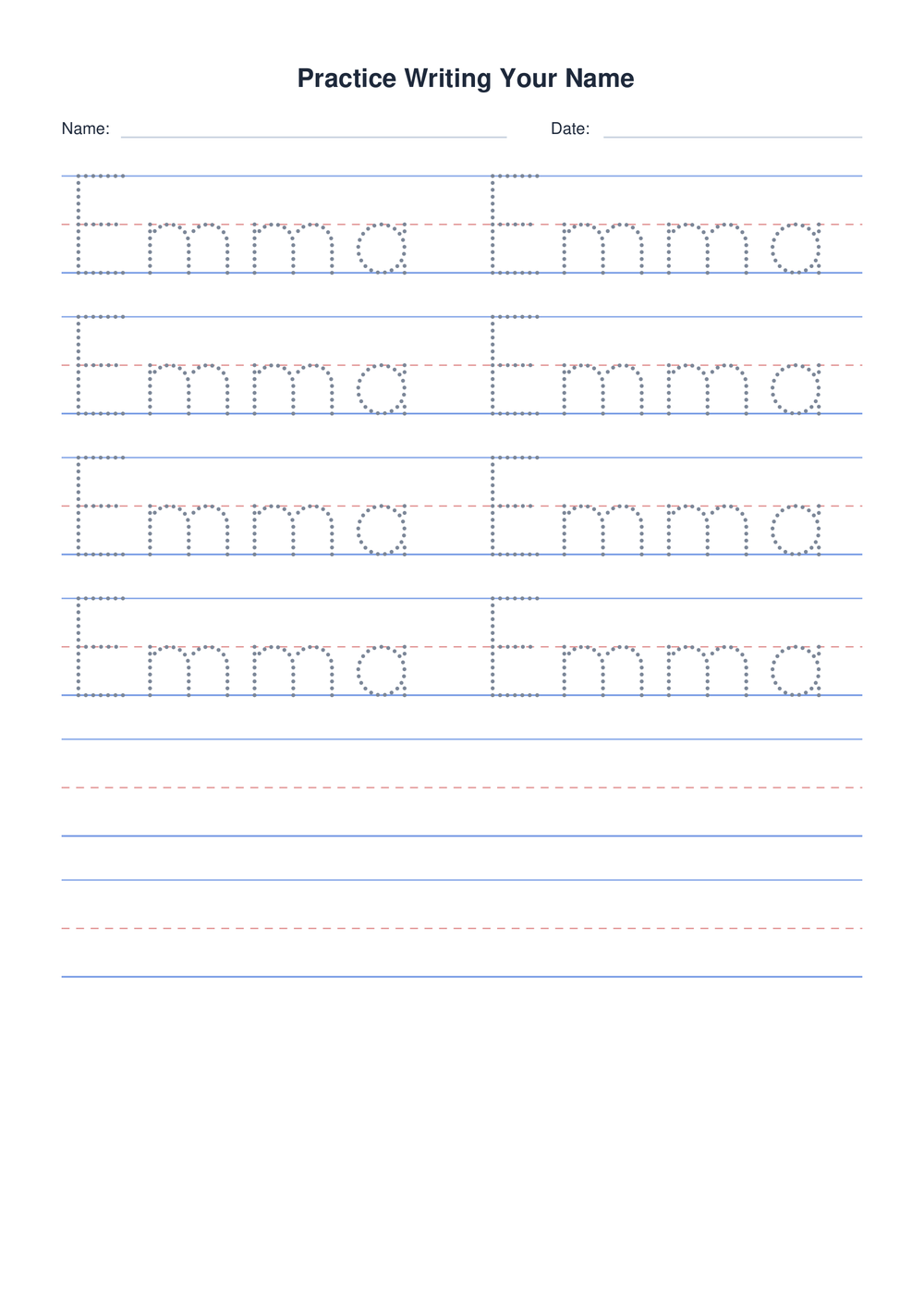
In Name tracing, Words, or Sentences mode, type a learner’s name (such as Emma or José) or enter one word or sentence per line. Alphabet modes let you choose from 10 European alphabets—including Spanish (Ñ), French, German (Ä, Ö, Ü, ß), Turkish and Polish—while typing Arabic text shapes connected right-to-left script automatically.
Pick Dotted for uniform, junction-clean pearl dots, or switch to Dashed, Light Gray, or hollow Outline letters. Then select a Row size (grade level): Large — Preschool (22 mm), Medium — Kindergarten (16 mm), Standard — Grade 1–2 (12 mm), or Compact — Grade 3+ (9 mm).
Enable model examples, green start dots and practice rows
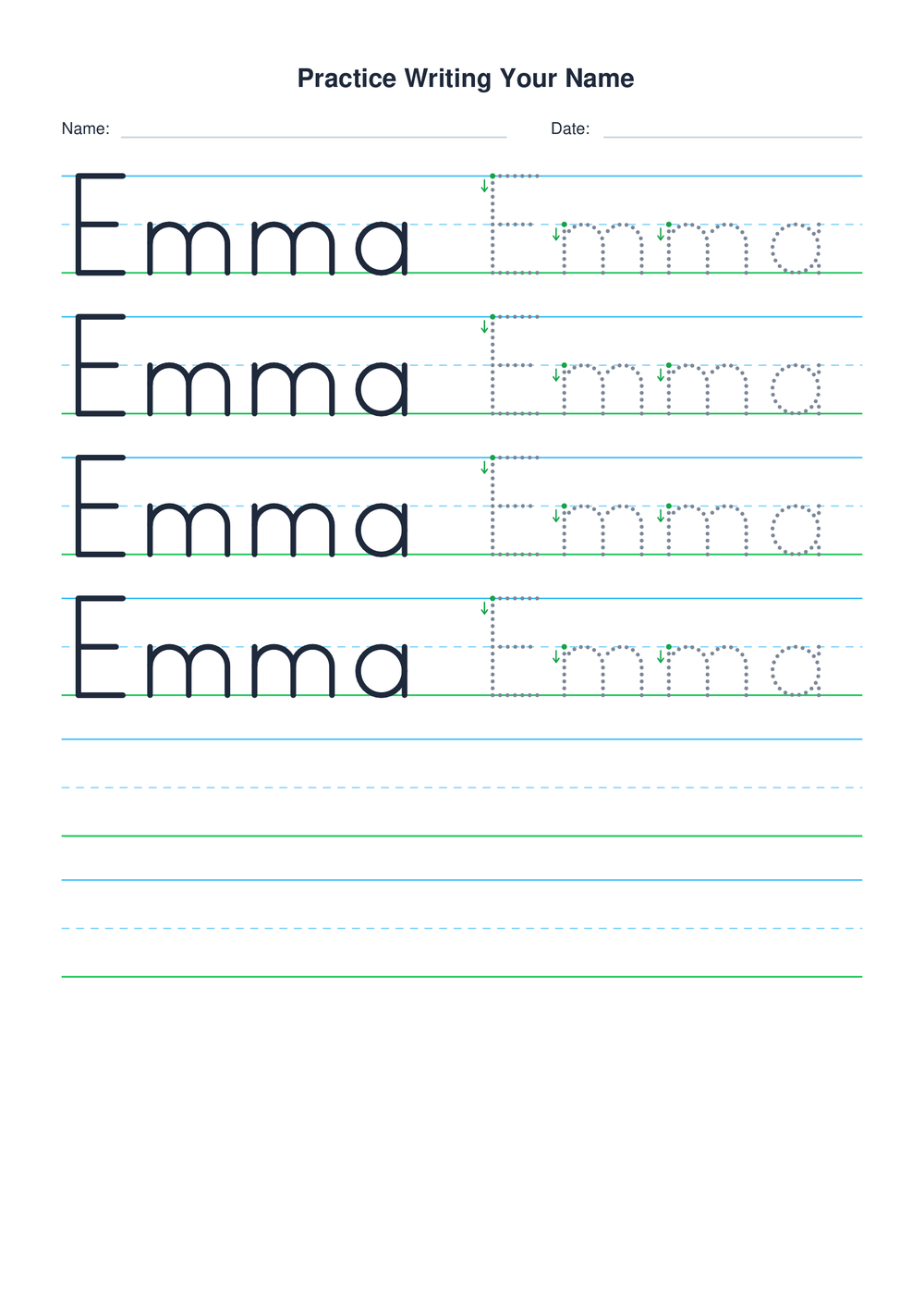
For early writers who are still learning stroke order, check Start row with solid model example so the first word on each row prints in dark ink, followed by traced copies across the line. Turn on Green stroke-start dots and Directional stroke arrows to mark where the pencil touches down first.
Choose Handwriting line colors—Classic Blue & Red, Sky Blue & Grass Green, Classroom Grayscale or Warm Cream & Sepia—and set Tracing rows per item and Empty practice rows so learners can practice writing unassisted right below the dotted lines.
Export vector PDF, SVG or 300 DPI images
Keep PDF (Vector) selected and click Generate PDF. Long alphabets and multi-word spelling lists paginate automatically up to 30 pages—use the page switcher above the preview to check each page first.
On the download screen, inspect your pages with Preview PDF, download the vector PDF for crisp home or classroom printing, or export a single page as SVG or 300 DPI PNG/JPG. Use Save JSON Preset anytime to keep a reusable classroom template.
Tips for preschool, classroom and home practice
Fade guidance gradually
Begin with Preschool 22 mm Dotted rows + solid model + green start dots, then step down to Light Gray without start dots, and finally add 2 Empty practice rows.
Laminate for dry-erase reuse
Print one A4 or US Letter Name Tracing sheet on cardstock and slip it into a dry-erase sleeve for daily morning warm-ups.
Import .txt spelling lists
Keep weekly sight words in a simple .txt file—one word per line—and import it in one click to print multi-page class packets.
Common questions
Why do single-stroke dotted letters work better than a dotted font?
Most downloadable dotted fonts outline the perimeter of thick letters, creating confusing double dotted walls. Single-stroke manuscript paths place one clean line of uniform dots right along the path a child’s pencil actually travels, without clumped dots at corners.
Can I trace names with accents like Zoë, José, Ayşe or Łukasz?
Yes. Diacritics and special European characters are composed onto the manuscript stroke geometry so accented names and 10 European alphabets trace cleanly.
How does Arabic tracing work?
Choosing Arabic Alphabet (أ–ي) or typing Arabic names and sentences activates OpenType shaping to join connected Arabic letters properly and align both rows and Name/Date headers right-to-left.
How many pages can one PDF contain?
Each export supports up to 30 automatically paginated vector PDF pages on A4 or US Letter paper in Portrait or Landscape.
Are children’s names uploaded to a server?
Never. Every preview and exported PDF, SVG, PNG, JPG and JSON file is created locally in your browser.
Create personalized tracing sheets in seconds
Type a name or word list, pick your grade size, and print a sharp vector PDF—or generate blank lined, French Seyès and calligraphy slant sheets with PDF Graph Paper Generator