



Heat transfers
Prepare an iron-on design
Reverse the design before printing so it reads normally after transfer.
Mirror PDF pages left to right or top to bottom.
Use the page controls to inspect your document.
Save your result or return to adjust the settings.
Choose your file or try the sample.
Select Horizontal or Vertical and check the preview.
Start the conversion, then save the mirrored PDF.
Choose Horizontal to reverse left and right, or Vertical to exchange top and bottom. The preview updates as you change direction. Every page gets the same mirror treatment; download a separate PDF when it looks right.
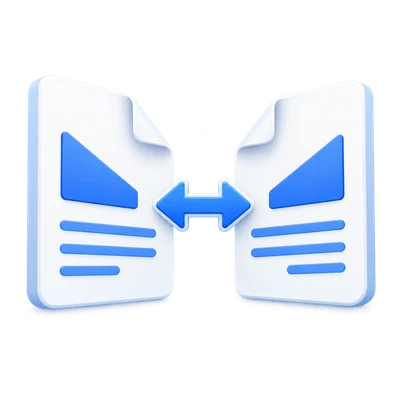
Reverse the design before printing so it reads normally after transfer.
Mirror artwork that will be viewed through the other side of the film.
Flip a scan captured as a mirror image and inspect its text.
Horizontal swaps left and right; Vertical swaps top and bottom.
Horizontal reflects every point across the vertical centerline. Text and asymmetric shapes appear backward. This is the usual setting for heat-transfer printing.
Vertical reflects across a horizontal centerline, exchanging top and bottom. The paper size and page order remain unchanged.
Page drawing commands are embedded without page screenshots.
The result keeps PDF drawing commands, images and embedded fonts. Ordinary text and vector artwork do not lose resolution. Filled form appearances are flattened before mirroring.
Interactive annotations, links, form controls and digital signatures are not carried into the mirrored pages. Review the result if the source uses these features.
Check the effect before saving a separate copy.
Load a PDF or use Try sample. Select the direction card and inspect the live preview. Move through the pages to check the same direction on each one. Select Start, then Download. Back lets you change direction without reloading the source.
Open one PDF up to 300 MB and 750 pages. Additional output, memory and processing limits can apply to complex documents.
Processing takes place on your device without uploading the document. Download your result before closing the page; keep the original separately.
Know what to expect before you start.
On your deviceIt reflects every page left to right. Text reads backward, often needed for iron-on transfers.
It reflects every page top to bottom. This differs from a 180-degree rotation.
No. Rotation changes orientation without reflecting text. Mirroring reverses page content.
No. Page drawing commands and embedded fonts remain PDF content. Interactive links and annotations are not preserved.
Open one PDF up to 300 MB and 750 source pages. Protected files need an unlocked copy unless this tool explicitly offers password entry. Large or complex pages can require more memory or reach processing limits even when the file is within these limits.
Document processing and PDF generation run in your browser on your device. This tool does not upload the document for processing. Save your result before closing or reloading the page; the original file on your device is unchanged.