
Compress PDF Online – Reduce PDF File Size While Keeping Quality
Make PDFs smaller for saving and sharing, with high visual quality
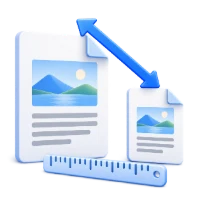
Compress PDF is a free online tool that reduces PDF file size to make documents easier to store, upload, and share—while maintaining high visual quality.
Compress PDF is a simple and reliable online PDF compressor designed to help you reduce PDF size for faster sending, easier uploading, and more efficient storage. If your PDF is too large for email limits, takes too long to upload, or consumes unnecessary bandwidth, this tool helps you quickly shrink the file size while maintaining high visual quality. The compression happens online in your browser, so there is no need to install software. After compression, you can download a smaller PDF that is easier to share and more practical for everyday workflows.
What Compress PDF Does
- Reduces PDF file size to make documents easier to share and store
- Compresses PDFs while maintaining high visual quality
- Helps optimize large PDFs for faster upload and download
- Creates smaller PDFs that are more convenient for email and messaging
- Works online without requiring software installation
- Supports everyday PDF size reduction needs for saving bandwidth
How to Use Compress PDF
- Upload your PDF file
- Start the compression process
- Wait for the tool to reduce the file size
- Download the compressed PDF
Why People Use Compress PDF
- To meet email attachment size limits
- To upload PDFs faster to portals or learning platforms
- To share documents more easily over chat and collaboration tools
- To save storage space on devices and cloud drives
- To reduce transmission bandwidth when sending PDFs
Key Compress PDF Features
- Free online PDF compression
- Reduced PDF size with high visual quality
- Works directly in the browser with no installation
- Useful for saving, sending, and sharing PDFs
- Practical for both occasional and frequent PDF compression needs
- Designed to quickly produce smaller PDF files
Common PDF Compression Use Cases
- Shrinking PDFs for email attachments
- Reducing size of scanned PDFs before sharing
- Making reports and presentations easier to download
- Lowering file sizes for faster uploads to online forms or portals
- Optimizing PDFs to reduce bandwidth usage when sending files
What You Get After Compressing
- A smaller PDF file that is easier to upload and share
- Reduced storage usage compared to the original PDF
- High visual quality suitable for typical viewing and sharing
- A more manageable PDF for collaboration and distribution
- A practical output file for everyday productivity workflows
Who Compress PDF Is For
- Students submitting assignments with file size limits
- Professionals sharing PDFs by email or collaboration tools
- Teams uploading documents to web portals and systems
- Anyone working with large PDFs that are slow to send or store
- Users who want a quick, online way to reduce PDF size
Before and After Using Compress PDF
- Before: PDFs are too large to email or upload quickly
- After: PDFs are smaller and easier to share
- Before: Large downloads take longer and use more data
- After: Smaller downloads complete faster and save bandwidth
- Before: PDFs consume unnecessary storage space
- After: Reduced file size helps keep storage organized
Why Users Trust Compress PDF
- Free, straightforward PDF size reduction tool
- Maintains high visual quality while reducing file size
- No software installation required
- Built for practical saving and sharing needs
- Part of the i2PDF online productivity tools suite
Important Limitations
- The amount of size reduction depends on the PDF content (images and scans often compress differently than text-heavy files)
- Some PDFs may already be optimized, resulting in smaller or minimal reduction
- Compression changes file size, but does not edit or rewrite the document content
- Very aggressive size expectations may not be achievable while keeping high visual quality
Other Names for Compress PDF
Users may search for Compress PDF using terms like PDF compressor, reduce PDF size, shrink PDF file, make PDF smaller, PDF size reducer, or compress PDF online.
Compress PDF vs Other PDF Compression Tools
How does Compress PDF compare to other PDF compression solutions?
- Compress PDF: Free online tool focused on reducing PDF size while maintaining high visual quality, with no installation required
- Other tools: May require paid software, desktop installation, or complex settings to achieve similar results
- Use Compress PDF When: You want a fast, browser-based way to make a PDF smaller for saving, uploading, and sharing
Frequently Asked Questions
Compress PDF reduces the file size of a PDF so it is easier to store, upload, and share while maintaining high visual quality.
Yes. Compress PDF is a free online tool you can use directly in your browser.
The tool is designed to reduce PDF size while maintaining high visual quality, but the exact result depends on the content and how much can be compressed.
Some PDFs are already optimized, and others contain elements that cannot be reduced significantly without affecting quality. The achievable reduction varies by file.
Compress a PDF when you need a smaller file for emailing, faster uploading/downloading, sharing on messaging platforms, or saving bandwidth and storage.
Compress Your PDF Now
Upload your PDF to reduce file size for easier saving and sharing.
Related PDF Tools on i2PDF
Why Compress PDF ?
The ubiquity of the PDF format in modern document handling is undeniable. From contracts and reports to presentations and ebooks, PDFs have become the standard for sharing and archiving information. However, the very features that make PDFs so versatile – embedded fonts, high-resolution images, and interactive elements – can also lead to large file sizes. This is where the importance of compressing PDFs becomes strikingly clear, impacting everything from storage efficiency to user experience.
One of the most immediate benefits of PDF compression lies in its impact on storage. Large PDF files consume significant storage space, whether on personal devices, cloud storage platforms, or corporate servers. For individuals, this can translate to a slower computer, a cluttered hard drive, and the need to constantly manage storage limits. For businesses, the cumulative effect of storing numerous large PDFs can be substantial, requiring investment in more storage infrastructure and increasing operational costs. Compressing PDFs significantly reduces their size, freeing up valuable storage space and allowing for more efficient resource allocation. This is particularly crucial for organizations dealing with large volumes of documents, such as legal firms, educational institutions, and government agencies.
Beyond storage, compressed PDFs contribute significantly to improved bandwidth utilization. Sending and receiving large files over the internet consumes considerable bandwidth, which can lead to slower download and upload speeds, especially for users with limited or unreliable internet connections. Compressing PDFs reduces the amount of data that needs to be transmitted, resulting in faster transfer times and a more seamless user experience. This is particularly important in scenarios where documents need to be shared quickly and efficiently, such as during online meetings, collaborative projects, or emergency situations. Imagine a medical professional needing to quickly share a patient's medical history with a specialist; a compressed PDF ensures that the information is accessible promptly, potentially saving valuable time.
Furthermore, smaller PDF files are easier to share and distribute. Email providers often have size limits for attachments, making it difficult to send large PDF documents. Compressing the file allows it to be easily attached to an email and sent without the risk of exceeding the size limit. Similarly, uploading large PDFs to websites or online platforms can be a slow and cumbersome process. Compressed PDFs upload much faster, improving the user experience and making it easier to share information with a wider audience. This is particularly important for businesses that rely on online document sharing for marketing, sales, or customer support.
The benefits of PDF compression extend beyond practical considerations to encompass accessibility and inclusivity. In areas with limited internet connectivity or older devices with limited processing power, accessing large PDF files can be a frustrating and time-consuming experience. Compressing PDFs reduces the processing power required to open and view them, making them more accessible to users with older or less powerful devices. This is particularly important for ensuring that information is accessible to everyone, regardless of their location or technological capabilities. For example, students in rural areas with limited internet access can benefit greatly from compressed PDF textbooks and learning materials, allowing them to participate fully in online learning activities.
Moreover, compressed PDFs can contribute to improved document security. While compression itself doesn't directly encrypt or protect a PDF, smaller file sizes can make it easier to implement other security measures, such as password protection or digital signatures. Smaller files are also easier to manage and track, reducing the risk of unauthorized access or modification. In addition, by reducing the size of the file, you are potentially reducing the amount of data that could be exposed in the event of a security breach.
However, it's important to acknowledge that not all PDF compression methods are created equal. Some compression techniques can result in a significant loss of image quality or text clarity, making the document difficult to read or interpret. It's crucial to choose a compression method that balances file size reduction with image and text quality. Many PDF compression tools offer different compression levels, allowing users to customize the compression settings to suit their specific needs. For example, a document containing high-resolution images might require a lower compression level to preserve image quality, while a document consisting primarily of text can be compressed more aggressively without sacrificing readability.
In conclusion, the importance of using compressed PDFs cannot be overstated. From optimizing storage and bandwidth to improving accessibility and security, the benefits of PDF compression are numerous and far-reaching. By reducing file sizes, compressed PDFs contribute to a more efficient, user-friendly, and inclusive digital environment. Whether you're an individual managing personal documents or a large organization handling vast amounts of data, taking the time to compress your PDFs is a simple yet effective way to improve productivity, reduce costs, and enhance the overall user experience. The practice of compressing PDFs should be considered a fundamental aspect of responsible digital document management.
How to Compress PDF ?
This video will show in detail how to compress PDF.