



Long reports
Locate a detail quickly
Find a recurring term and jump directly to its page.
Find a word or phrase in one PDF, then jump to its page.
Select a match to jump to its page. Highlights show approximate text positions.
Download the CSV with page numbers and text around each match.
Upload a PDF with selectable text or try the sample.
Enter a word or phrase. Use case and whole-word options if needed, then open a match.
Download a CSV report with page numbers and surrounding text.
Search one document for a word or phrase. The result list shows each matching page with nearby text, while the preview highlights where matches appear. Export a CSV report when you are done.
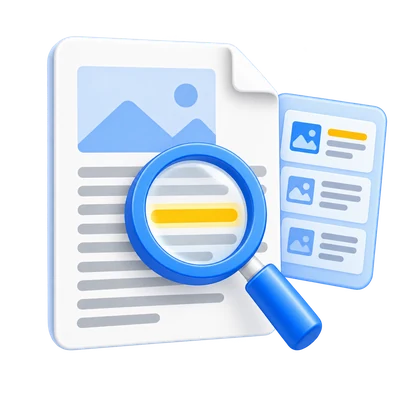
Find a recurring term and jump directly to its page.
Use Match case or Whole words to narrow ambiguous terms.
Download a CSV with page numbers and surrounding text.
Enter a term, then jump between contextual matches.
Load one PDF with selectable text. Enter a word or phrase and select Search PDF. The tool checks its pages in the browser and lists up to 500 matches with nearby text.
Select a result to open its page. Yellow highlights mark approximate positions on the visible page.
Match case and Whole words refine a query.
Match case distinguishes uppercase and lowercase letters. Whole words excludes a term when it is part of a longer word.
Image-only scans have no selectable text to match. Use PDF OCR first, then search the OCR result.
Save page numbers and context as CSV.
After matches appear, select Download CSV report. Each row has a page number and text around one match. The original PDF is unchanged.
The tool shows at most 500 matches and scans up to 5 million text characters. Use a more specific query if the limit is reached.
Open one PDF up to 50 MB and 750 pages. Additional output, memory and processing limits can apply to complex documents.
Processing takes place on your device without uploading the document. Download your result before closing the page; keep the original separately.
Know what to expect before you start.
On your deviceA scan needs selectable text before this tool can find words. Run PDF OCR first.
Yes. Select Match case or Whole words before searching.
Each row contains a page number and nearby text for one match. The original PDF stays unchanged.
Open one PDF up to 50 MB and 750 source pages. Protected files need an unlocked copy unless this tool explicitly offers password entry. Large or complex pages can require more memory or reach processing limits even when the file is within these limits.
Document processing and PDF generation run in your browser on your device. This tool does not upload the document for processing. Save your result before closing or reloading the page; the original file on your device is unchanged.