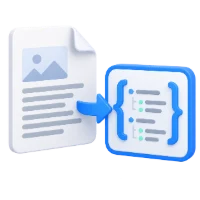

Decompress PDF rewrites supported compressed streams and disables object-stream packing. The example grows from 82,495 bytes to 3,304,028 bytes while retaining four pages.
Choose the PDF to inspect
Open the tool and choose the PDF. Use this workflow when you need an expanded file structure for inspection or troubleshooting, rather than a smaller file for sharing.
Run decompression
Choose Start. The tool rewrites the document with supported stream decompression and without packed object streams. It does not turn the file into a ZIP archive or a plain-text document.
Download and inspect the output
Download the result and confirm it still opens correctly. The example retains four pages and grows to about 3.30 MB.
Use a PDF-aware inspection tool to examine the structure. For reading or copying the document’s words, use PDF to Text instead.
Common questions
Is decompression the opposite of making a smaller upload?
Yes, in practical file-size terms. Use Compress PDF when you need a smaller distributable copy.
Will the visible pages change?
They should retain their appearance; that is what the real example shows. Review the output before using it in another workflow.
Try it with your document
Review the result, then save the version you need.