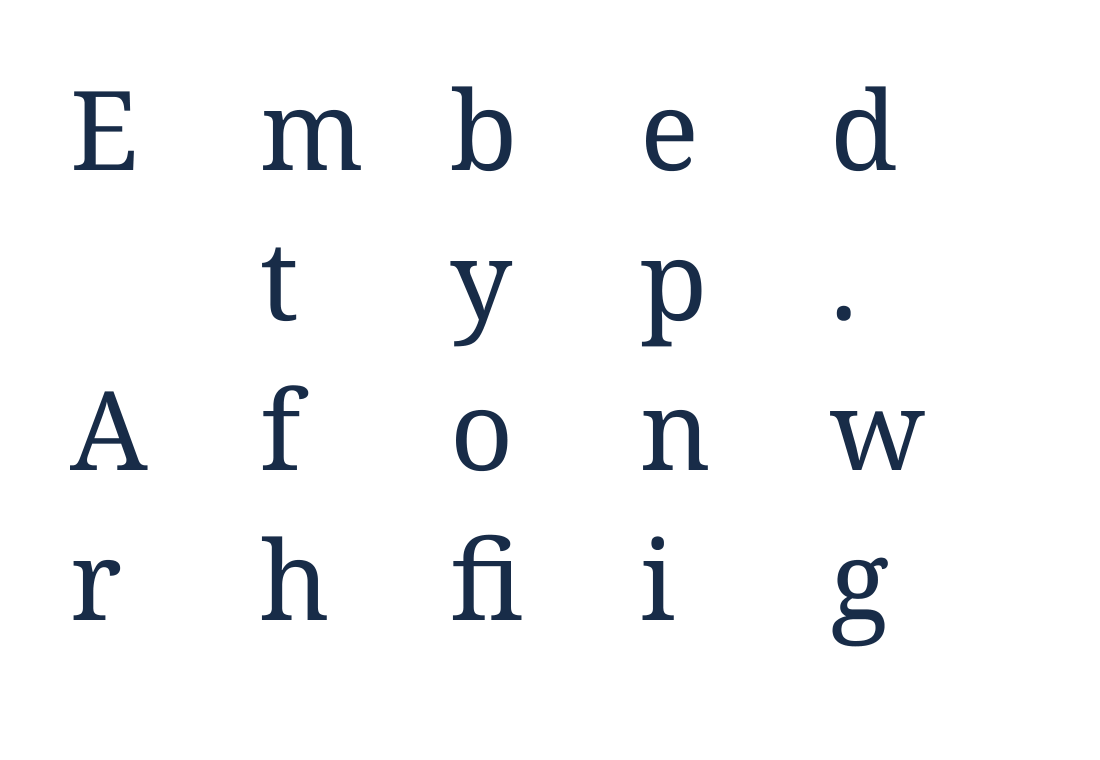

Open Extract Fonts from PDF and add your document to discover its embedded font files. Our sample yields one Noto Serif subset; the example below displays the actual glyph outlines in that extracted file.
Add the PDF and inspect the font list
Upload your PDF and allow the tool to find its embedded fonts. Review the font names in the results list. A font name can identify a family even when only a small subset is stored in the PDF.
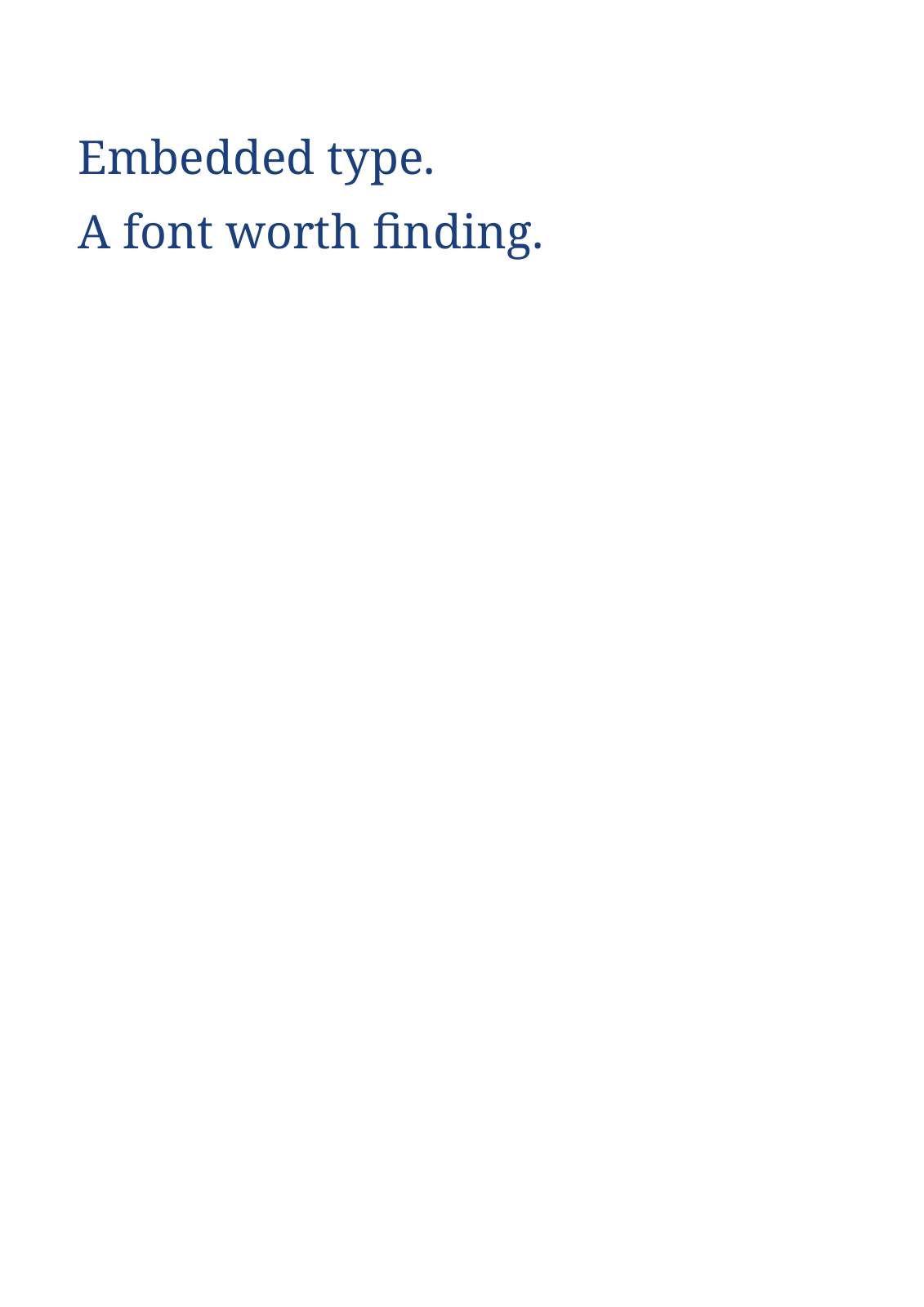
Our one-page source contains the words “Embedded type.” and “A font worth finding.” Its embedded font has only the glyphs needed for that text.
Download a font or the collection
Use a font’s download control to save that entry, or choose Start to download the available fonts together. The example ZIP contains 005-NotoSerif-Regular-9742.ttf.
Keep the extracted files with a copy of the source PDF so you can identify where they came from. File extensions depend on the embedded font data.
Check what the extracted file contains
Inspect the file in a font tool before relying on it in a new document. This example has 21 glyph entries and no Unicode character map, so a normal font preview cannot reliably turn typed text into those glyphs.
The comparison therefore shows the actual outlines as a grid. If you need a usable font for writing new text, obtain the complete licensed font from its original distributor.
Common questions
Why does the downloaded font show boxes when I type?
Some PDF subsets lack normal character mappings or contain only a few glyphs. The extracted data can be valid for the PDF while unsuitable as an installed desktop font.
Can I get the whole font family from one PDF?
Only the font data actually embedded in that PDF can be recovered. Missing styles, weights and characters are not supplied by extraction.
Try it with your document
Review the result, then save the version you need.