



Research
Collect identifiers
Gather DOI and ISBN values with the pages where they appear.
Find the data you need. Keep the source page with every result.
| Type | Value | Count | Pages |
|---|
Copy and download include all matching rows, across every results page. CSV includes counts and PDF page numbers; TXT contains values only.
Select a page number in Results to check its source. Highlights show approximate positions.
Your list is ready. Download it, or go back to review and change the format.
Load a document with selectable text, or try the sample.
Select Extract. Review values, counts and source pages; filter or sort the list.
Copy the values, or download CSV with page references or a simple TXT list.
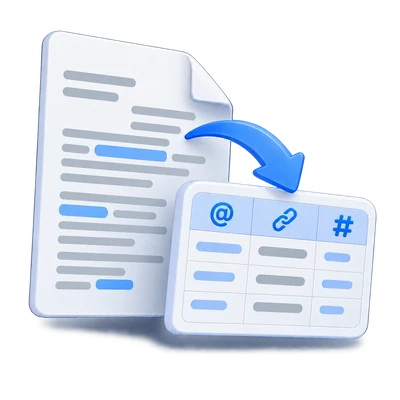
Choose the data types you need: emails, phone numbers, URLs, numeric dates, IPv4 addresses, domains, DOI, ISBN, hashtags, and MAC addresses. Review the extracted values with counts and page references.
Gather DOI and ISBN values with the pages where they appear.
Find dated entries and IPv4 addresses.
Combine emails, phones and web links in one structured export.
Start with emails, phones and URLs, then open More data types for specialized values.
Dates must use a numeric format with a four-digit year; ambiguous day/month values retain their source order. IPv4 octets are validated; IPv6 is not included.
Domains are derived from recognized emails and web links, not arbitrary filenames. DOI extraction covers common modern DOI forms, not every historical form. ISBN-13 values need a valid checksum; ISBN-10 also needs an ISBN label. Hashtags can contain Unicode letters, including Arabic.
MAC addresses use six colon- or hyphen-separated pairs. The tool never contacts extracted addresses or identifiers.
Check counts, jump to a PDF page, and filter the result list.
Each result records the physical page position in the PDF, which can differ from printed page numbers. Select a page chip to open the preview with an approximate highlight.
Remove duplicates starts enabled. Counts combine recognized repetitions of the same value; switch it off to see separate occurrences. Sort alphabetically changes the list order. Filtering applies to copying and downloads as well as the visible rows.
Choose CSV for counts and pages, or TXT for one value per line.
CSV contains Type, Value, Count and Pages columns. UTF-8 encoding supports Arabic and other scripts. Values that could be interpreted as spreadsheet formulas are prefixed with an apostrophe for safer importing.
TXT and Copy all contain values only, one per line. All rows matching the filter are included, even when the on-screen table spans several result pages. No new PDF is created and the source PDF is unchanged.
Process one PDF in your browser, with explicit limits and partial-result notices.
Load one PDF up to 50 MiB and 500 pages. Extraction checks up to 250,000 characters and 2,000 matches per page, 10 million characters and 20,000 matches overall, and 2,000 annotations per page. A 90-second extraction budget limits lengthy runs. Very complex documents may work better when split into smaller files.
When a limit is reached or a page cannot be fully read, the results show a notice and limited or failed runs export with partial in the filename. Pages without selectable text are counted separately. Use PDF OCR for image-only scans, then return to extract the recognized text.
PDF content is processed locally in this browser. Uploaded documents are not sent to an extraction server. Links, email addresses and phone numbers found inside the PDF are never contacted automatically.
Open one PDF up to 50 MB and 750 pages. Additional output, memory and processing limits can apply to complex documents.
Processing takes place on your device without uploading the document. Download your result before closing the page; keep the original separately.
Know what to expect before you start.
On your deviceChoose the data types you need: emails, phone numbers, URLs, numeric dates, IPv4 addresses, domains, DOI, ISBN, hashtags, and MAC addresses. Review the extracted values with counts and page references. This extracts recognizable values, not tables, invoices or semantic fields. Patterns and checksums reduce noise but do not guarantee completeness or prove that an identifier is genuine.
Only selectable text and recognized link targets are read. Image-only pages need PDF OCR first. Run OCR, download the searchable PDF, then return to this extractor.
Remove duplicates combines recognized equivalent values. Count shows detected occurrences and Pages lists physical PDF page positions. Disable the option to keep occurrences separate. A printed target and matching clickable link on the same page are not double-counted.
CSV includes type, value, occurrence count and page references. TXT and Copy all provide values only, one per line. All rows matching the current filter are included, not only the visible table page.
No. PDF parsing, matching and exports run in this browser. The original PDF is unchanged. No extracted link, email or phone number is contacted automatically.
One PDF up to 50 MiB and 500 pages. Extraction is limited to 250,000 text characters and 2,000 matches per page, 10 million characters and 20,000 matches overall, and 2,000 annotations per page. Results carry a notice if limits or unreadable pages make them partial.