Small shops
Print product reference labels
Make multiple copies of inventory and shelf identifiers using your existing codes.
Your codes. Your labels. Ready to print.
Add product codes, reference numbers or QR text. Arrange them on a sheet and preview before printing.
Edit the values and choose a layout. The preview updates as you work.
Print at Actual size (100%) to preserve the label dimensions.
Print at Actual size (100%), with page scaling off. Test one sheet first.
Start a label sheet or import UTF-8 CSV or text. Add an optional caption and copies for each value.
Select a barcode type and sheet template. Adjust spacing and captions while the PDF preview updates.
Click Start to download your PDF. Print at Actual size (100%) and test one sheet before a full run.
Barcode Labels to PDF turns typed values, CSV columns or a text list into printable label sheets. Create Code 128, Code 39, EAN-13 or QR codes, set copies for each value and check the actual PDF before downloading. Your data stays in your browser.
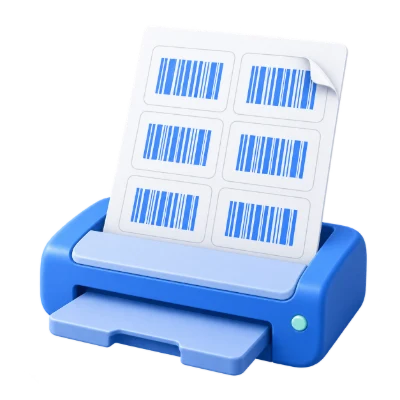
Make multiple copies of inventory and shelf identifiers using your existing codes.
Turn a list of internal reference numbers into a consistent sheet of labels.
Encode short links or multilingual text and add a separate readable caption.
Add labels one by one, or begin with a UTF-8 CSV or text file.
A text file contains one barcode value per line. A CSV can use the headings Value, Label and Copies. Value is encoded; Label is optional text printed below it; Copies is a whole number from 1 to 100. Without headings, only the first CSV column is used as the value.
For example, Value,Label,Copies followed by ITEM-001,Notebook,4 creates four matching labels. Keep identifiers as text in your spreadsheet so leading zeros are not lost before export. You can edit imported rows and add or remove labels.
Use linear barcodes for identifiers or QR codes for multilingual text.
Code 128 accepts printable Latin letters, numbers and standard symbols. Code 39 accepts uppercase letters, digits and its limited symbol set. EAN-13 requires an existing valid 13-digit value including the check digit; the tool does not allocate retail product numbers.
QR codes support Arabic and other Unicode values within the 512-byte input limit. Captions can use Arabic even when the encoded identifier is Latin. All labels in one PDF use the selected barcode type.
Start with A4, Letter, larger A4 labels or a single 100 × 50 mm label.
The default A4 grid has 24 positions. Letter has 30, the large A4 grid has 12, and the single-label layout has one per page. Copies fill positions in order and continue onto another sheet when needed.
Customize columns, rows, margins and gaps in millimetres. Optional cutting guides mark each label. Set caption size or hide captions; a long caption can be shortened to fit, but the encoded value is never shortened.
The viewer shows the same PDF that you download.
Barcodes are black vector shapes on a white page, with their quiet zones kept around them. The generator refuses a symbol that would be too dense for the label instead of shrinking it indefinitely. Choose a wider layout, shorter value or QR code when prompted.
Use Focus to make room for editing the list, or Preview to see the sheet alone. Print at Actual size (100%) with page scaling off. Reader hardware, printer quality and paper can affect scanning, so test one sheet.
CSV or TXT up to 1 MB; 200 entries, 1,000 labels and 100 sheets.
Processing takes place on your device without uploading the document. Download your result before closing the page; keep the original separately.
Know what to expect before you start.
Private processingYes. You can create the label sheet and download the PDF without an account. Values are processed on your device.
Export your sheet as UTF-8 CSV with Value, Label and Copies columns, then import it. XLSX files are not accepted. Keep the Value column as text to preserve leading zeros.
Yes. Arabic captions are supported. Choose QR Code to encode Arabic text itself; the linear formats have narrower character sets.
The templates are generic layouts. Enter the dimensions and spacing that match your stock, then test alignment on ordinary paper before using your labels.
The selected value needs more space than the label provides at a practical print size. Use fewer columns, a wider label, a shorter value or QR Code.
No. Barcode value controls the encoded data. Label text is a separate optional caption and may be shortened to fit.
The tool renders an existing valid EAN-13 number and checks its check digit. It does not assign new retail product identifiers.
Use up to 200 entries, 100 copies per entry, 1,000 labels and 100 sheets. CSV and text imports are limited to 1 MB; each encoded value can contain up to 512 UTF-8 bytes.