Designers
Prepare artwork for a printer
Match the requested printing profile and compare photographs, gradients and brand colours before delivery.
Convert colours for printing, preview the result and check the PDF.
On-screen colours are an approximation. Ask your printer for a proof when colour accuracy matters.
Your converted PDF includes the chosen colour profile. Review the print checks before sending it to your printer.
Checks describe this converted file; they do not certify PDF/X compliance or print readiness.
RGB resources may include unused or spot alternate spaces. Fonts can be substituted if missing. Page boxes do not prove that bleed artwork exists.
Download reportUpload one PDF from your device.
Review the available settings, then start processing.
Save the result and check it before sharing.
Prepare an RGB PDF for a specified printing workflow. Choose an ICC profile, compare the current page, protect solid black text and download a CMYK PDF with the selected Output Intent and a separate print report.
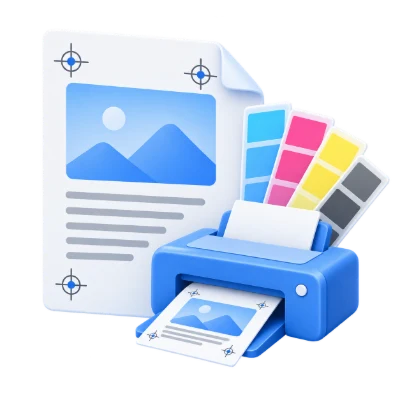
Match the requested printing profile and compare photographs, gradients and brand colours before delivery.
Protect solid RGB black in brochures and business documents while keeping coloured logos and illustrations.
Send the converted PDF alongside its report, then request independent preflight and a proof for critical colours.
Convert RGB PDF colours for a specified printing condition and embed the selected ICC profile.
The default is Coated Fogra39L VIGC 300. The list groups coated, uncoated and other printing conditions, including FOGRA, GRACoL, SWOP and CGATS profiles. A profile describes a printing condition; it is not a decorative colour preset. Ask your printer which profile to select.
The selected CMYK ICC file is embedded as the PDF Output Intent and checked against the selected profile after conversion. Embedded source profiles are respected rather than globally overridden. Unprofiled RGB is interpreted using the converter’s default RGB profile.
The conversion targets RGB and other supported non-CMYK colours. Existing device CMYK values are generally retained; this is not a dedicated CMYK-to-CMYK press retargeting workflow. An Output Intent alone does not prove that every existing object was recalculated for that profile.
Switch between Original, CMYK and Compare, then move the divider across the page.
Preview colours sends only the current page for conversion. It does not process a 200-page document just to show one page. CMYK and Compare also request a preview when needed. A small in-memory cache reuses recent page previews with identical settings.
Changing a profile or colour setting automatically refreshes the CMYK preview after a short pause. Moving to another page previews that page automatically. Rapid changes are combined, and only the latest selection is shown. Start applies the selected settings to the entire PDF; previews do not select a subset for export.
Cyan, Magenta, Yellow and Black show grayscale process-ink plate previews. These are screen simulations, not downloadable press separations, and spot inks are simulated in the four process channels. The maximum ink figure is sampled from this preview only, not a whole-document total-ink certification. Colours depend on the screen; obtain a printer’s proof for critical work.
Keep explicit RGB black text and vector paints on the black channel; retain coloured artwork.
Keep solid black text & vectors is enabled by default. It protects exact DeviceRGB zero-black used by text and vector drawing operations. Existing pure DeviceCMYK black and DeviceGray can remain black-channel output. Coloured text is still converted normally.
This protection does not recolour raster pixels or guarantee K-only output for ICC-defined black, tint functions, tiling patterns or every transparency interaction. The report records protected drawing operations. Turn the option off if you want ordinary colour-managed conversion of those RGB blacks.
Relative colorimetric is the default rendering intent, with black point compensation enabled. Perceptual, Saturation and Absolute colorimetric are also available. Black point compensation is disabled for Absolute. Select an intent appropriate to the artwork and the printer’s instructions.
The PDF is rewritten as PDF objects rather than deliberately flattening every page into an image.
RGB images, vector colours and supported gradient definitions pass through colour conversion. Images are not intentionally downsampled. Text and vector paths can remain native, and modern PDF output allows live transparency. The screen preview is rasterized; that does not mean the downloaded PDF consists only of images.
The converter attempts to embed fonts, including substitutes when source fonts are missing. Font embedding is inspected in the result, but an embedded font does not prove it is the exact original font. Arabic text already correctly shaped in the PDF can be retained; missing or damaged fonts still need a visual check.
Keep spot colours is the default. You can request conversion to process colours instead, then check the report for remaining Separation or DeviceN resources. Complex constructs can be rewritten. RGB transparency blend spaces, colour-managed resources or alternate spot spaces may remain, so the tool does not label the result as independently verified all-CMYK.
Both options embed the selected Output Intent. PDF/X-4 creation is available on compatible servers.
Standard CMYK PDF is the default. Choosing PDF/X-4 requests the converter’s PDF/X-4 output mode, with PDF/X identification metadata, an embedded CMYK Output Intent and PDF page boxes. Live transparency is allowed rather than deliberately flattened.
If a page lacks both a TrimBox and an ArtBox, its visible page boundary supplies a TrimBox. The converter can also add a BleedBox. These boxes do not create missing bleed artwork or determine a designer’s intended trim size. Review existing crop, trim and bleed boundaries before sending a file to print.
The site checks that PDF/X identification and the selected Output Intent are present; it does not run an independent PDF/X-4 conformance validator. Every report states that independent validation was not performed. Have the printer preflight the file. If this mode is unavailable on the server, choose Standard CMYK PDF.
Review the converted file’s colour resources, font embedding, transparency and page boxes.
The main Download button saves the PDF. Open Print checks below the download controls to review the output. Download report saves a separate HTML report with a readable summary and the detailed JSON inspection data. The original uploaded file is not overwritten.
The report checks the embedded ICC against the selected profile, lists font embedding, counts image and vector resources, records transparency and reports trim and bleed boxes. Resource counts describe the converted PDF structure; they can include unused resources. A low or zero count is not a visual accuracy guarantee.
Back returns to your PDF and current settings. Start over clears the workspace, cached previews and the current result. Preview and conversion use our servers. A screen comparison and these checks support review, but they do not replace a calibrated proof or a printer’s preflight.
Open one PDF up to 50 MB and 750 source pages. Protected files need an unlocked copy unless this tool explicitly offers password entry. Large or complex pages can require more memory or reach processing limits even when the file is within these limits.
Processing uses our servers. Source files, temporary files and results are deleted from our servers within 30 minutes after processing finishes. We do not share document contents with third parties or use them to train AI models.
Know what to expect before you start.
Temporary server processingSupported RGB image and drawing colours are converted toward CMYK without deliberately rasterizing every page. Live transparency may retain managed RGB blend spaces, and unused or alternate colour resources can remain. Inspect the report; it is not a guarantee that every resource in the PDF is CMYK.
Keep solid black text & vectors protects explicit DeviceRGB black text and vector paints by routing them through DeviceGray, which maps to the black channel. Existing pure CMYK black can remain K-only. The setting does not guarantee this for raster pixels, ICC-based black, tint functions or every transparency interaction.
The converter attempts to embed fonts and preserve native text, vectors and live transparency. Complex content may be rewritten and missing fonts may be substituted. The report checks embedding and transparency resources, but you should also compare the output visually, including Arabic text.
Relative colorimetric with black point compensation is the default. Perceptual, Saturation and Absolute colorimetric are also available. Absolute disables black point compensation. These selected settings are included in the report.
No. Preview colours converts the current page only. Original, CMYK and Compare let you review it, and the four process-ink buttons show simulated plate views. Start converts the entire PDF using the chosen settings. The ink-coverage figure is sampled from the current preview only.
You can download an HTML print-check report with font, colour, transparency, Output Intent and page-box inspection details. It is not an independent PDF/X-4 validation certificate and does not verify physical print accuracy or the presence of sufficient bleed artwork.
Standard CMYK PDF is the default. PDF/X-4 creation requests that output mode and checks the identification marker and selected Output Intent, but no independent conformance validator runs. The report explicitly says that independent PDF/X validation was not performed. Ask your printer to preflight it.
Yes. The selected CMYK ICC profile is embedded as the Output Intent and its bytes are checked against the chosen profile. Coated Fogra39L VIGC 300 is the default; choose the profile supplied by your printer. Embedding a profile alone does not certify print readiness.
Open one PDF up to 50 MB and 750 source pages. Protected files need an unlocked copy unless this tool explicitly offers password entry. Large or complex pages can require more memory or reach processing limits even when the file is within these limits.
This tool uses our servers for processing. Your original file is not overwritten; the result is a separate download. Preview and review the result where available, and download the copy you need before starting over.