



Review teams
Prepare a clean reading copy
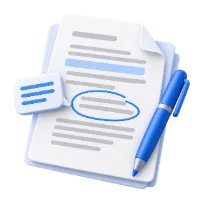
Remove discussion marks after a review round.
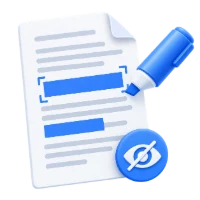
Remove comments, highlights and drawing annotations while keeping form fields.
Compare Original and Cleaned. Start saves the cleaned copy.
Download your result or go back to make changes.
Choose the document containing comments or markups.
Use the thumbnail sidebar and Original / Cleaned buttons. Keep links or choose to remove them too.
Download and check the pages; the original remains unchanged.
Create a clean PDF copy by removing annotation objects such as comments and highlights. Preview the result, keep links by default, and preserve form fields.
Remove discussion marks after a review round.
Clear removable annotations from the source handout.
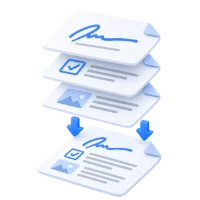
Remove comments while leaving clickable links intact.
Compare the original and cleaned pages before saving.
The tool removes non-form annotation objects across all pages, including comments, highlights, drawing markups and stamps stored as annotations. The count reports PDF annotation objects, so a comment and its popup may contribute more than one object.
The viewer opens on Original so review marks are visible. Choose Cleaned to compare the same page without removable annotations. The left thumbnail sidebar follows the selected view; clicking a thumbnail changes the page without changing which annotations are removed. Start always downloads the cleaned copy, even while you are viewing Original.
Try the annotated sample to see real highlights, comments, underlines, strikeouts, shapes and pen marks. It also includes a link and an editable form field so you can check what is retained.
Link annotations are kept unless you select Remove links.
Enable the link option to remove clickable page and website link rectangles as well. Visible URL text remains part of the page. PDF readers may still recognize plain URL text independently, so this option is not a general security or link-blocking guarantee.
Interactive widget annotations are excluded from removal.
The page text, images and vector artwork remain in the PDF. Supported form fields and their values are retained rather than flattened. Use Flatten PDF if your goal is a noninteractive copy of filled form values.
Marks baked into scans or page artwork are outside this tool.
A scanned highlight, a drawn shape flattened during an earlier export, or ordinary watermark text may be part of the page content. They will remain after annotation removal. Review the generated PDF and use an appropriate editing or redaction tool when needed.
Open one PDF up to 100 MB and 750 pages. Additional output, memory and processing limits can apply to complex documents.
Processing takes place on your device without uploading the document. Download your result before closing the page; keep the original separately.
Know what to expect before you start.
On your deviceNo. A highlight annotation is removed; the underlying text stays. Use Redact PDF to permanently remove sensitive content.
It may be embedded in a scan or flattened into page artwork. This tool removes annotation objects, not arbitrary visible graphics.
The viewer starts on Original so you can inspect the marks before removing them. Select Cleaned to see the result on the same page. Start always saves the cleaned copy, whichever view is selected.