Annotate PDF Online – Highlight, Comment, Draw & Mark Up PDFs

Add notes, text, drawings, and markup like highlight, underline, strikeout, and squiggly lines—directly in your browser

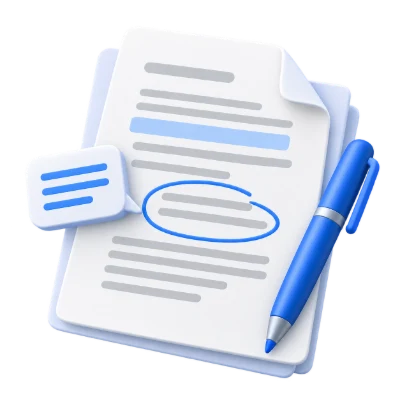
Annotate PDF is a free online tool for reviewing PDF files by adding text, sticky notes, drawings, highlights, and markup such as underline, strikeout, and squiggly lines.

Annotate PDF is a simple online PDF annotation tool designed for fast, clear document review. It lets you annotate PDF files by adding text, sticky notes, drawings, and marking content using common review tools such as highlight, strikeout, underline, and squiggly lines. Whether you are commenting on a draft, marking changes in a report, or studying from a PDF, you can apply your notes and visual markup directly in your browser. No installation is required, and it’s built to help you review and annotate PDFs quickly and easily.

Files are automatically deleted after 30 min

What Annotate PDF Does

  • Annotates PDF files by adding text notes directly on pages
  • Adds sticky notes for comments and review feedback
  • Lets you draw on PDF pages for visual explanations
  • Marks text using highlight for emphasis
  • Marks changes using underline, strikeout, and squiggly lines
  • Works online so you can annotate PDFs without installing software

How to Use Annotate PDF

  • Upload your PDF file
  • Choose an annotation type (text, sticky note, drawing, or markup)
  • Place annotations on the page and adjust as needed
  • Review pages to ensure your notes and highlights are complete
  • Download the annotated PDF

Why People Use Annotate PDF

  • Review documents and leave clear feedback
  • Highlight key points for faster reading and study
  • Mark edits with underline or strikeout during proofreading
  • Add clarifications using sticky notes without changing original wording
  • Collaborate by sharing an annotated PDF with comments included

Key Annotate PDF Features

  • Text annotations for adding notes directly on the PDF
  • Sticky notes for comments and review remarks
  • Drawing tools for quick sketches and callouts
  • Text markup: highlight, underline, strikeout, and squiggly lines
  • Runs in the browser with no installation required
  • Free online PDF annotation for quick document review

Common PDF Annotation Use Cases

  • Proofreading contracts, proposals, and reports with markup
  • Reviewing academic papers by highlighting and adding notes
  • Commenting on PDFs shared by colleagues or clients
  • Studying from PDFs by marking definitions and key sections
  • Adding visual guidance with drawings for instructions or feedback

What You Get After Annotating

  • A PDF with your notes, highlights, and markup applied
  • Clear, readable review comments on the relevant pages
  • Marked text using underline, strikeout, or squiggly lines for edits
  • A shareable annotated file suitable for review and collaboration
  • A faster, more structured way to revisit important parts of a document

Who Annotate PDF Is For

  • Students highlighting and adding study notes to PDFs
  • Teachers and educators reviewing assignments and materials
  • Professionals proofreading and marking changes in documents
  • Teams collaborating on drafts with comments and highlights
  • Anyone needing a free online PDF annotator for quick feedback

Before and After Using Annotate PDF

  • Before: Important points are hard to find in long PDFs
  • After: Highlights and markup make key sections easy to spot
  • Before: Feedback is sent separately and gets missed
  • After: Sticky notes and text comments stay with the document
  • Before: Edits are unclear or described in long messages
  • After: Underline, strikeout, and squiggly lines show changes directly on the page

Why Users Trust Annotate PDF

  • Focused on common review needs: notes, drawings, and text markup
  • Works online without requiring installation
  • Simple workflow for fast reviewing and annotating
  • Helps keep feedback attached to the exact place in the document
  • Part of the i2PDF productivity tool suite

Important Limitations

  • Annotation is for adding notes and markup; it is not a full rewrite of document content
  • Very dense or complex page layouts may take extra time to annotate precisely
  • Large files may take longer to upload and process depending on connection speed
  • Results depend on careful placement of annotations during review

Other Names for Annotate PDF

Users may search for Annotate PDF using terms like PDF annotator, annotate PDF online, PDF annotation tool, PDF highlighter, add notes to PDF, mark up PDF, highlight and comment PDF, underline PDF, or strikeout PDF.

Annotate PDF vs Other PDF Annotation Tools

How does Annotate PDF compare to other PDF annotation solutions?

  • Annotate PDF (i2PDF): Free online tool for adding text, sticky notes, drawings, and markup like highlight, underline, strikeout, and squiggly lines
  • Other tools: May require installation, accounts, or paid subscriptions for basic annotation
  • Use Annotate PDF When: You need a quick, browser-based way to review and mark up a PDF without setting up software

Frequently Asked Questions

Annotate PDF lets you add text, sticky notes, drawings, and text markup such as highlight, underline, strikeout, and squiggly lines to a PDF for review.

Yes. Annotate PDF is a free online tool for annotating PDF files.

Yes. You can mark text using highlight as part of the annotation tools.

Yes. You can add notes using text and sticky note annotations to leave feedback during review.

No. The tool works online in your browser, so you can annotate PDFs without installing software.

If you cannot find an answer to your question, please contact us
admin@sciweavers.org

Annotate Your PDF Now

Upload your PDF and add highlights, notes, drawings, and markup in minutes.

Annotate PDF

Related PDF Tools on i2PDF

Why Annotate PDF ?

The digital age has ushered in an era of unprecedented access to information, and the PDF (Portable Document Format) has emerged as a ubiquitous standard for sharing and preserving documents. While PDFs are excellent for viewing and distributing information, their true potential is unlocked when coupled with annotation capabilities. The ability to annotate PDFs is not merely a convenient feature; it is a crucial tool that enhances comprehension, collaboration, learning, and efficiency across a wide spectrum of applications.

One of the most significant benefits of annotating PDFs lies in its ability to improve comprehension. Reading, especially when dealing with complex or technical material, is not a passive activity. Actively engaging with the text through annotation transforms the reading process into a dynamic and interactive one. Highlighting key passages allows readers to quickly identify and revisit essential information. Adding notes and comments provides space for personal reflections, questions, and interpretations. Underlining specific terms or phrases draws attention to important vocabulary or concepts. These annotations serve as cognitive anchors, reinforcing understanding and facilitating recall. By personalizing the text, readers can tailor the information to their specific needs and learning styles, making the material more accessible and memorable. For students, this means a more effective study process; for professionals, it translates to a deeper understanding of reports, articles, and other critical documents.

Furthermore, PDF annotation fosters seamless collaboration. In today's interconnected world, teamwork is paramount, and the ability to share and discuss documents efficiently is essential. Annotating PDFs provides a digital platform for collaborative review and feedback. Instead of relying on cumbersome email chains and multiple versions of documents, team members can annotate a single PDF file with their comments, suggestions, and corrections. This centralized approach streamlines the review process, ensuring that everyone is working from the same information and that all feedback is readily accessible. The use of different colors or initials for each annotator can further clarify individual contributions, making it easier to track changes and resolve discrepancies. This collaborative annotation process is particularly valuable in fields such as law, where multiple attorneys may need to review and revise legal documents, or in engineering, where teams collaborate on complex design specifications.

Beyond comprehension and collaboration, annotating PDFs plays a vital role in education. For students, it offers a powerful tool for active learning and critical thinking. Annotating textbooks, research papers, and other learning materials allows students to engage with the content in a meaningful way. They can highlight key concepts, summarize important information, and pose questions directly within the document. This active engagement promotes deeper understanding and retention. Moreover, instructors can use PDF annotation to provide personalized feedback on student assignments. By annotating student papers with comments, suggestions, and corrections, instructors can provide targeted guidance that helps students improve their writing and critical thinking skills. The ability to annotate PDFs also facilitates online learning, allowing students and instructors to interact with course materials remotely and asynchronously.

The efficiency gains afforded by PDF annotation are also noteworthy. In many professional settings, time is a precious commodity. Annotating PDFs allows individuals to quickly and efficiently review and process large volumes of information. Instead of printing out documents and manually marking them up, users can annotate PDFs electronically, saving time and paper. The ability to search for specific annotations makes it easy to locate important information within a document. Furthermore, electronic annotations are easily shared and stored, eliminating the risk of lost or damaged paper documents. This efficiency is particularly valuable in fields such as finance, where professionals need to quickly analyze financial reports and make critical decisions, or in healthcare, where doctors need to review patient records and communicate with colleagues.

The benefits of annotating PDFs extend beyond specific industries and applications. It is a versatile tool that can be used by anyone who needs to read, understand, and collaborate on documents. Whether you are a student, a professional, or simply someone who wants to improve their reading comprehension, annotating PDFs can help you achieve your goals. The availability of user-friendly annotation software and applications makes it easier than ever to incorporate this powerful tool into your workflow. From highlighting key passages to adding comments and drawings, the possibilities are endless. By embracing the power of PDF annotation, we can unlock the full potential of digital documents and enhance our ability to learn, collaborate, and communicate effectively. The ability to interact with and personalize information within a PDF transforms it from a static page into a dynamic and engaging tool for knowledge acquisition and sharing.