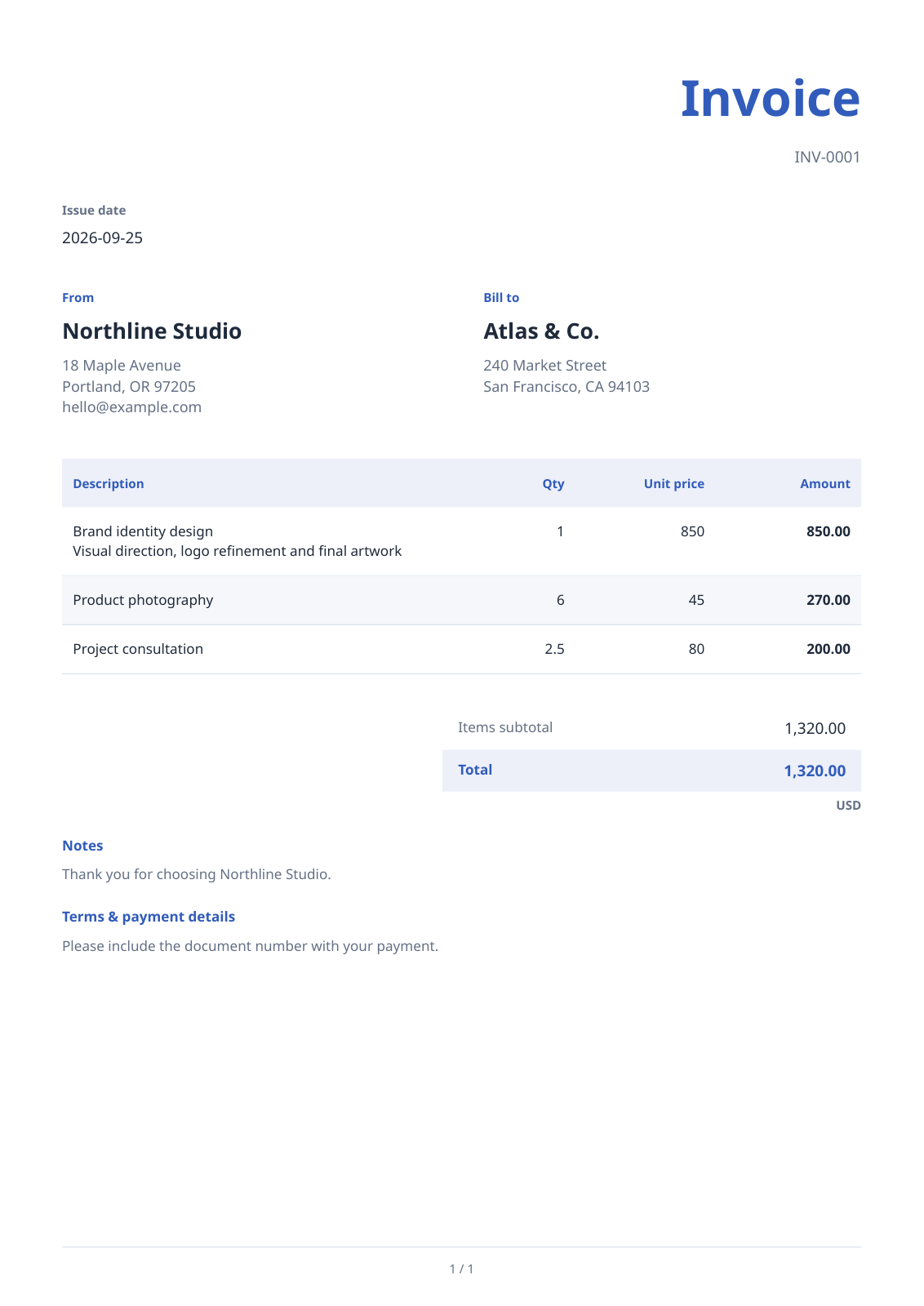

Open PDF Invoice Generator, fill in the document details and line items, then review and download the PDF. Our sample invoice has three items totaling 1,320.00 USD with no tax, discount, shipping or payment applied.
Choose the document and fill in the parties
Choose an invoice document and enter your business and customer details, invoice number and issue date. Use Try an example to explore the filled sample, then replace its demonstration details with your own.
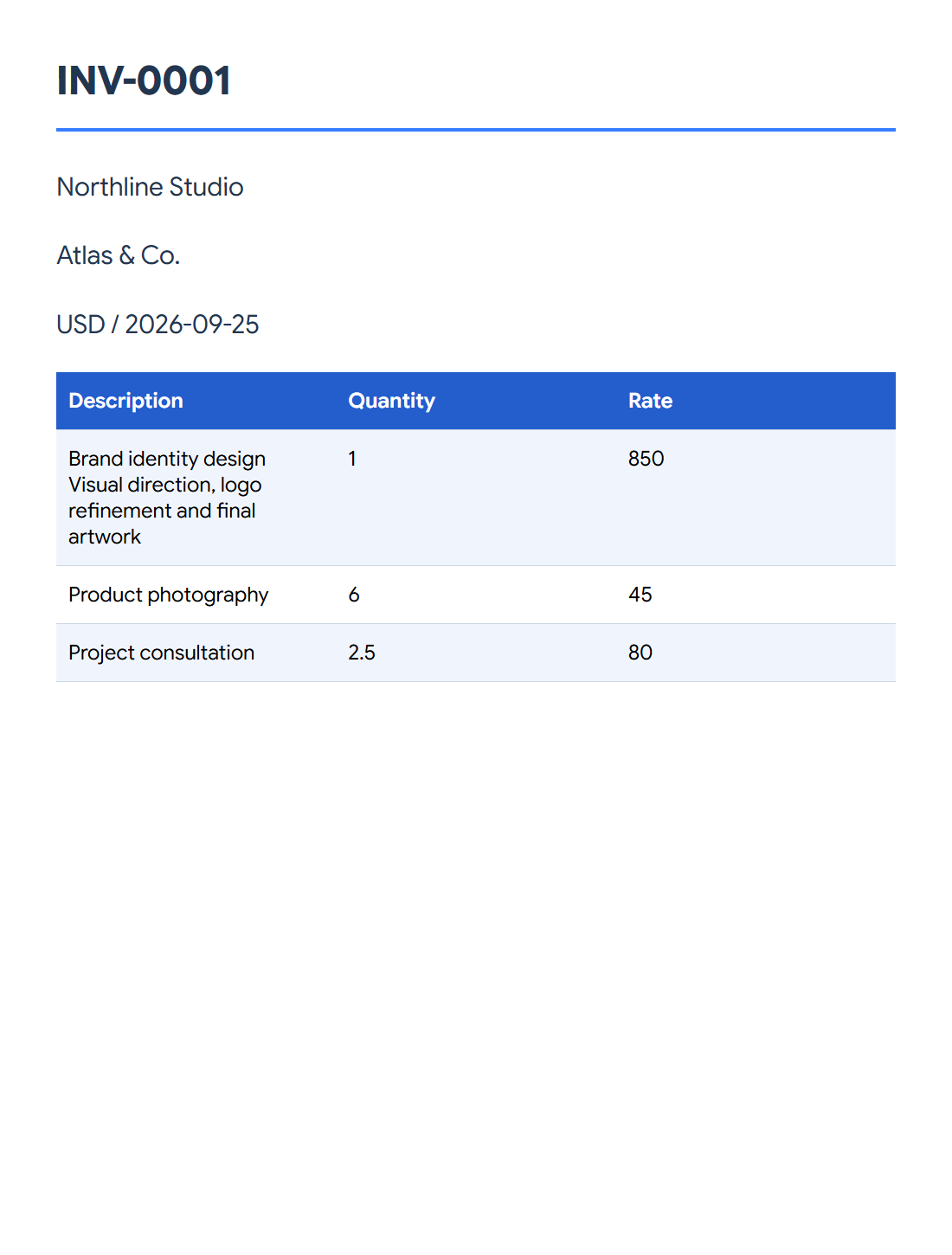
Our example is INV-0001 from Northline Studio to Atlas & Co., issued on September 25, 2026. Use the appropriate current details for your document rather than copying the sample number or date.
Add the line items and adjustments
The example has one brand-identity service at 850, six product photographs at 45 each and 2.5 hours of consultation at 80. These produce line totals of 850, 270 and 200.
Choose USD and keep tax, discounts, shipping and payments off to reproduce the 1,320.00 total. For your own document, enter any applicable adjustments deliberately and review how they change the displayed amounts.
Preview and download the invoice
Choose the paper, theme, font and accent color. This example uses A4, the Essential theme, a sans-serif font and a blue accent. Open Preview and check the parties, number, dates, line wrapping and total.
Choose Create PDF to download the PDF and inspect the saved document. Use Save draft if you want to continue editing later; keep the draft file as well as the PDF.
Common questions
Can I save my work before the invoice is finished?
Yes. Save a draft and keep the downloaded draft file so you can reopen the editable document later.
Can I make a quote or receipt instead?
The document-type choices include other formats such as quotes, estimates and receipts. Select the appropriate type and review its labels and fields before exporting.
Try it with your document
Review the result, then save the version you need.