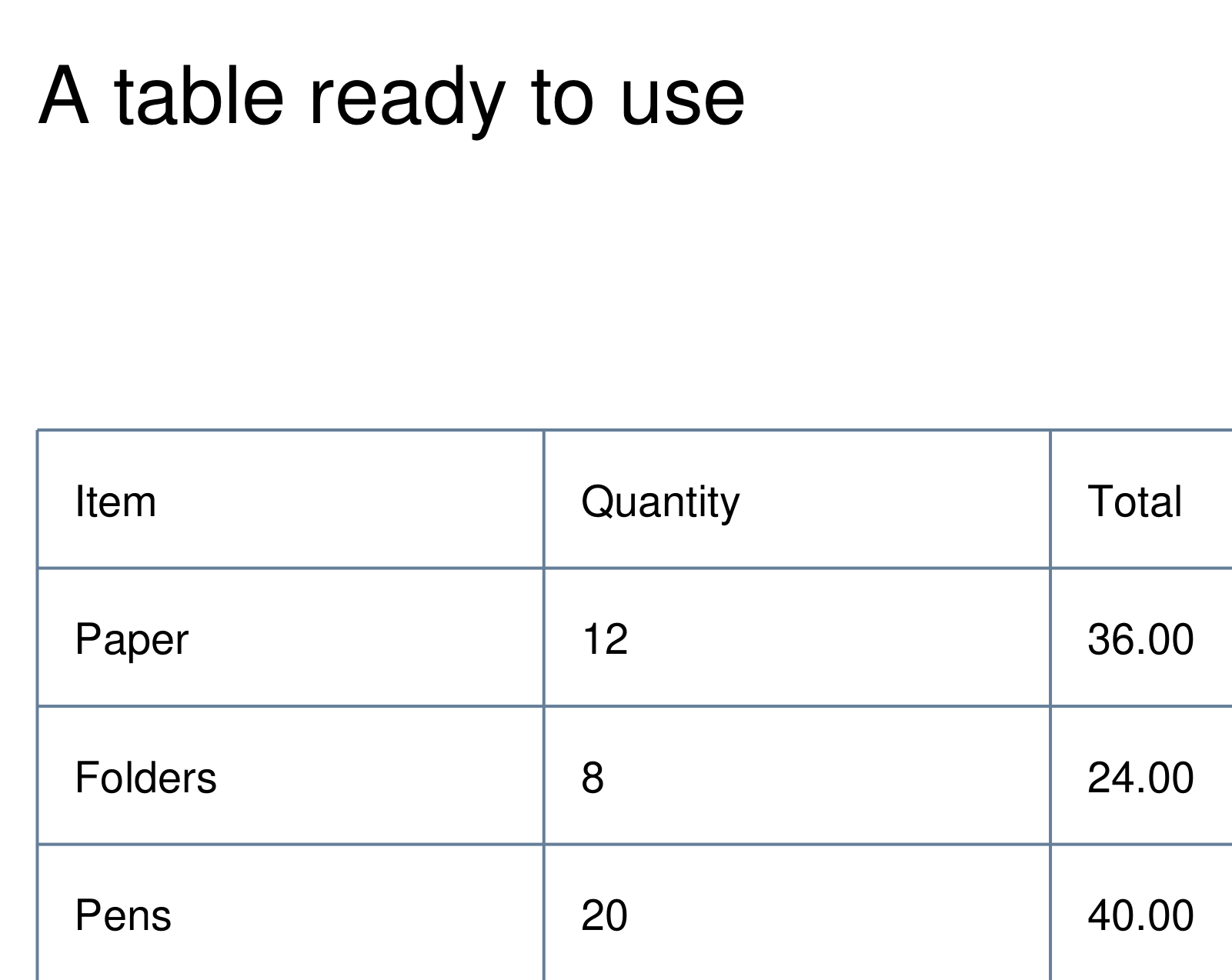
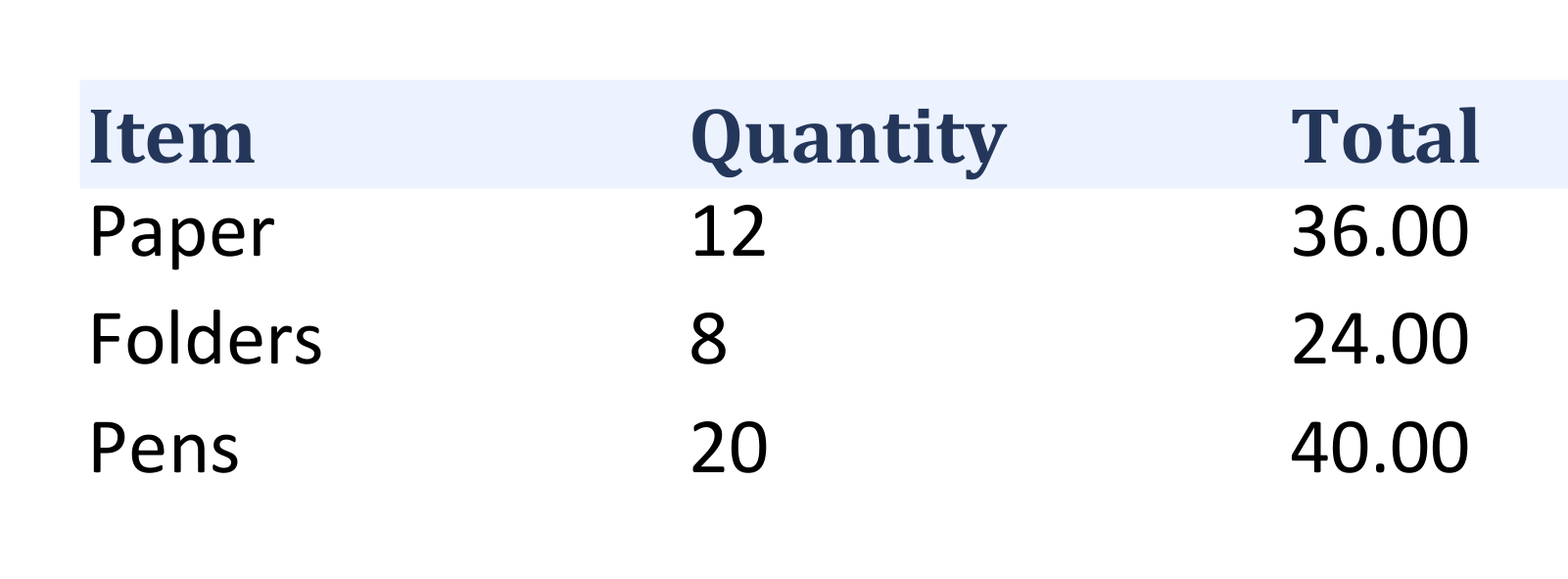

Open Extract Tables from PDF, find the tables you need and export their cells. Our example extracts a supplies table into one Excel worksheet.
Open the PDF and detect tables
Add your PDF. In Look in, choose the current page or All pages, then select Detect tables. Opening the document alone does not run detection.
Our one-page example uses All pages. Review the proposed areas and their page, row and column information before continuing.
Check the boundaries and cells
Select a detected table to load its cell preview. Check headings, numbers and row alignment, and clear the inclusion checkbox for any table you do not need.
If a table is missed or its bounds are wrong, use the table-drawing mode to mark its area, or move and resize an existing box. Exclude neighboring paragraphs from the selection. The preview displays up to 100 rows; copying and export include the full table.
Choose Excel and export
Choose Excel (XLSX) under File format, then choose Start and download the workbook. Each selected table gets its own worksheet.
Open the workbook and compare the cells with the source. Our output has three columns, one header row and three data rows. Review number types and formatting before using extracted values in calculations.
Common questions
Can I export to Word instead of Excel?
Yes. Word exports editable tables and offers one table per page. CSV, TXT, HTML, JSON and XML are also available, with combined or separate-file options where supported.
Can I copy one table without downloading a file?
Select it, check the cells and use Copy table. The copied tab-separated values can be pasted into a spreadsheet. If the browser blocks copying, export a text or CSV file.
Try it with your document
Review the result, then save the version you need.