



Readers
Keep PDFs in an EPUB library
Create an EPUB copy when your reading app supports fixed-layout ebooks.
Convert your PDF to EPUB.
Use the page controls to inspect your document.
Download your result, or return to the settings to make another version.
Upload one PDF from your device.
Review the available settings, then start processing.
Save the result and check it before sharing.
Convert your PDF to EPUB. Create a fixed-layout EPUB that keeps each PDF page as a page in your ebook. This preserves the page design; it does not reflow like a text-only ebook.
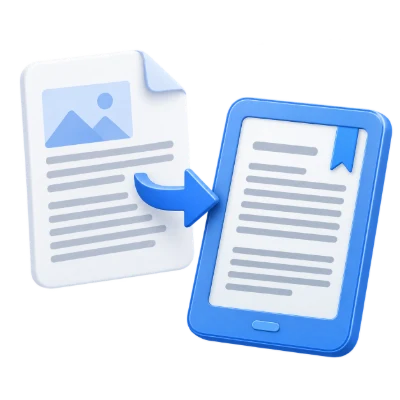
Create an EPUB copy when your reading app supports fixed-layout ebooks.
Use fixed pages for diagrams and handouts whose positions matter to understanding the content.
Review small text and page navigation in the ebook app before relying on the converted copy.
Keep each selected PDF page as a page-based ebook chapter.
The export packages page artwork as SVG inside EPUB pages and adds a page-based navigation list. It aims to retain page layout rather than rebuild continuous paragraphs. Reader support for fixed-layout EPUB and SVG affects the result. Text and images can look different when fonts or features are not supported.
This output is not a fully reflowable ebook.
Changing a reader’s font-size setting may not reflow the PDF page as ordinary EPUB prose would. Scanned PDFs still contain their scanned page images. Test the downloaded EPUB in your intended reader before distributing it, and use text extraction if you need content for manually authoring a reflowable book.
Process the whole document or enter specific page numbers and ranges.
Use PDF positions, starting at 1, rather than numbers printed on the page. A list such as 1, 3-5 includes four pages. A blank range uses every page. Check the preview when the document includes a cover or differently numbered chapters. Only the chosen pages are included in this conversion.
Use the accepted format and keep required resources with the document.
The filename extension must match the actual file type. Renaming an unrelated file does not convert it. Keep any required resources available within the document, and use an unencrypted file you are authorized to process. Processing can fail on damaged, unsupported or unusually complex content even when its byte size is within the upload limit.
Open one PDF up to 50 MB and 750 source pages. Protected files need an unlocked copy unless this tool explicitly offers password entry. Large or complex pages can require more memory or reach processing limits even when the file is within these limits.
Processing uses our servers. Source files, temporary files and results are deleted from our servers within 30 minutes after processing finishes. We do not share document contents with third parties or use them to train AI models.
Know what to expect before you start.
Temporary server processingUse a reader that supports fixed-layout EPUB and SVG page content. Test the result in the intended app because font and feature support can affect its appearance.
Changing a reader’s font-size setting may not reflow the PDF page as ordinary EPUB prose would. Scanned PDFs still contain their scanned page images. Test the downloaded EPUB in your intended reader before distributing it, and use text extraction if you need content for manually authoring a reflowable book.
Open one PDF up to 50 MB and 750 source pages. Protected files need an unlocked copy unless this tool explicitly offers password entry. Large or complex pages can require more memory or reach processing limits even when the file is within these limits.
This tool uses our servers for processing. Your original file is not overwritten; the result is a separate download. Preview and review the result where available, and download the copy you need before starting over.