

Developers
Investigate rendering differences
Inspect the fonts actually embedded in a PDF when diagnosing missing glyphs or layout changes.
Download the embedded font files used by your PDF.
Use the page controls to inspect your document.
Download your result, or return to the settings to make another version.
Choose a PDF to upload it and find its embedded fonts.
Review the font list and download individual fonts. No PDF pages are rendered.
Use Start to prepare a ZIP containing all found fonts, then download it.
Download the embedded font files used by your PDF. Fonts are extracted in their embedded format, including subset fonts. Missing glyphs cannot be recovered from a subset. Standard fonts that are not embedded cannot be extracted.
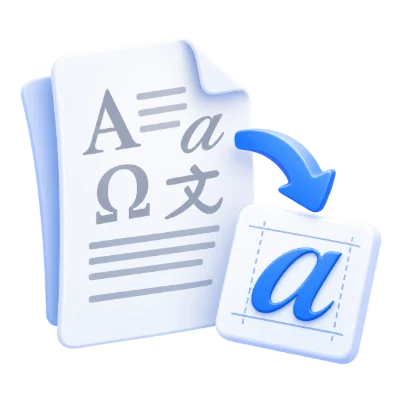
Inspect the fonts actually embedded in a PDF when diagnosing missing glyphs or layout changes.
Review extracted files alongside document properties to understand whether a font is complete or a subset.
Study how a document stores glyphs; extracting a font does not supply characters missing from its subset.
A font list replaces the PDF page preview in this workspace.
Opening the PDF uploads it for font extraction. The resulting table shows font family names, file types and individual download links. Separate embedded font objects can share a family name, so the list adds distinguishing suffixes. The original page artwork does not need to be rendered to choose a font download.
Only font data embedded in the PDF can be extracted.
PDFs often contain a subset with only the glyphs used in the document. Extracting it does not recreate the full commercial font or guarantee a font file your operating system can install. Non-embedded fonts and text converted to vector outlines have no complete embedded font to download. Check the font’s license before reusing it.
Use a row download for one item or save the extracted font ZIP.
The archive can include TTF, OTF, CFF, CID, PFA or PFB data when present and supported. Files are named from sanitized font identifiers. If no downloadable font data is found, the workspace shows that state rather than manufacturing replacements. Keep the PDF separately if you need to identify where a typeface was used.
Use the accepted format and keep required resources with the document.
The filename extension must match the actual file type. Renaming an unrelated file does not convert it. Keep any required resources available within the document, and use an unencrypted file you are authorized to process. Processing can fail on damaged, unsupported or unusually complex content even when its byte size is within the upload limit.
Open one PDF up to 100 MB and 750 source pages. Protected files need an unlocked copy unless this tool explicitly offers password entry. Large or complex pages can require more memory or reach processing limits even when the file is within these limits.
Processing uses our servers. Source files, temporary files and results are deleted from our servers within 30 minutes after processing finishes. We do not share document contents with third parties or use them to train AI models.
Know what to expect before you start.
Temporary server processingOpening the PDF uploads it for font extraction. The resulting table shows font family names, file types and individual download links. Separate embedded font objects can share a family name, so the list adds distinguishing suffixes. The original page artwork does not need to be rendered to choose a font download.
PDFs often contain a subset with only the glyphs used in the document. Extracting it does not recreate the full commercial font or guarantee a font file your operating system can install. Non-embedded fonts and text converted to vector outlines have no complete embedded font to download. Check the font’s license before reusing it.
The archive can include TTF, OTF, CFF, CID, PFA or PFB data when present and supported. Files are named from sanitized font identifiers. If no downloadable font data is found, the workspace shows that state rather than manufacturing replacements. Keep the PDF separately if you need to identify where a typeface was used.
Open one PDF up to 100 MB and 750 source pages. Protected files need an unlocked copy unless this tool explicitly offers password entry. Large or complex pages can require more memory or reach processing limits even when the file is within these limits.
This tool uses our servers for processing. Your original file is not overwritten; the result is a separate download. Preview and review the result where available, and download the copy you need before starting over.