JSON to PDF Converter Online – Convert JSON Files to PDF

Convert JSON into a shareable PDF and control font, page size, margins, and orientation

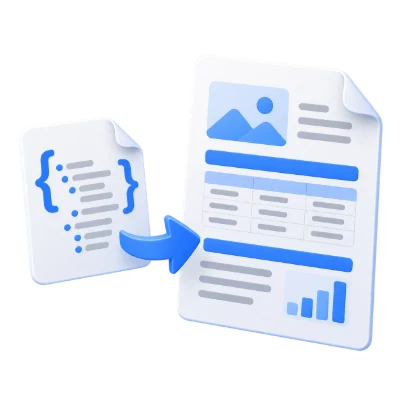
JSON to PDF is a free online tool that converts a JavaScript Object Notation (JSON) file into a PDF document. Choose font name, font size, page size, page margin, and page orientation to create a clean PDF ready to print or share.

JSON to PDF helps you convert structured JSON data into a convenient PDF format for sharing, printing, and archiving. Instead of sending raw JSON that may be hard to read outside developer tools, you can generate a PDF that opens consistently on any device. This online converter focuses on fast, straightforward conversion and gives you control over essential PDF settings such as font name, font size, page size, page margin, and page orientation. The tool runs in your browser with no software installation required, making it suitable for quick exports, documentation handoffs, and distributing JSON-based information in a universally accessible format.


Language
Style
Code
Paste your code or upload file
Loading...

What JSON to PDF Does

  • Converts a JSON file into a PDF document
  • Creates a printable and shareable version of JSON data
  • Lets you set PDF font name and font size
  • Lets you choose page size, page margin, and page orientation
  • Works online without installing software
  • Produces a PDF that can be opened on any device

How to Use JSON to PDF

  • Upload your JSON file
  • Choose your preferred PDF options (font name, font size, page size, margins, orientation)
  • Start the conversion
  • Download the generated PDF

Why People Use JSON to PDF

  • Share JSON data in a format that is easy to open and view
  • Print JSON content reliably with consistent page layout
  • Create a PDF copy of JSON for documentation or reporting
  • Control the PDF look with font and page settings
  • Avoid software installation by converting directly online

Key JSON to PDF Features

  • Free online JSON to PDF conversion
  • Customizable PDF font name and font size
  • Selectable page size for the output PDF
  • Configurable page margins
  • Portrait or landscape page orientation options
  • Fast conversion suitable for everyday workflows

Common JSON to PDF Use Cases

  • Sharing API responses or exported JSON data with non-technical stakeholders
  • Creating printable records from JSON configurations or logs
  • Generating documentation attachments from JSON-based data
  • Archiving JSON outputs in a standard document format
  • Preparing JSON content for review, approvals, or offline reading

What You Get After Converting

  • A PDF version of your JSON file
  • A document that is easier to share and print than raw JSON
  • A consistent page layout based on your chosen page size and margins
  • Readable output using your selected font and font size
  • A file format that works across devices and operating systems

Who JSON to PDF Is For

  • Developers exporting JSON data for documentation or sharing
  • Product and QA teams reviewing JSON-based outputs
  • Data and operations teams needing printable JSON records
  • Students and educators working with JSON examples and datasets
  • Anyone who needs a PDF copy of a JSON file for distribution

Before and After Using JSON to PDF

  • Before: JSON is shared as raw text that may be difficult to view outside coding tools
  • After: The same JSON is available as a PDF that opens easily on any device
  • Before: Printing JSON can be inconsistent without page and margin control
  • After: The PDF uses chosen page size, margins, and orientation for predictable printing
  • Before: Recipients may need specialized tools to read and format JSON comfortably
  • After: Recipients can view, share, and store the PDF in standard document workflows

Why Users Trust JSON to PDF

  • Clear purpose: convert JSON files to PDF quickly
  • No software installation required
  • Useful output controls (font, page size, margins, orientation)
  • Simple workflow designed for reliable conversion results
  • Part of the i2PDF online productivity tool suite

Important Limitations

  • The output PDF is a document representation of JSON and is not intended for direct data processing
  • Very large JSON files may take longer to convert depending on device and browser performance
  • The tool converts JSON to PDF but does not validate or fix incorrect JSON content
  • PDF layout is controlled by basic settings (font and page options) rather than advanced styling

Other Names for JSON to PDF

Users may search for JSON to PDF using terms like json2pdf, JSON to PDF converter online, convert JSON file to PDF, export JSON to PDF, or JSON document to PDF.

JSON to PDF vs Other JSON Conversion Options

How does JSON to PDF compare to other ways of sharing JSON?

  • JSON to PDF (i2PDF): Online conversion with PDF settings like font, page size, margins, and orientation; convenient for printing and sharing
  • Sharing raw JSON: Good for developers, but harder for general recipients to read and print consistently
  • Use JSON to PDF When: You need a universally viewable PDF version of JSON for distribution, review, or printing

Frequently Asked Questions

It converts a JSON (JavaScript Object Notation) file into a PDF document so the content is easier to view, print, and share.

Yes. JSON to PDF on i2PDF is a free online tool.

Yes. You can control the PDF font name, font size, page size, page margin, and page orientation.

No. The conversion runs online in your browser without installation.

PDF is a convenient format for printing and sharing because it opens consistently on most devices and fits common document workflows.

If you cannot find an answer to your question, please contact us
admin@sciweavers.org

Convert JSON to PDF Now

Upload your JSON file and download a clean PDF with your preferred page and font settings.

JSON to PDF

Related PDF Tools on i2PDF

Why JSON to PDF ?

The digital landscape thrives on data, and the efficient management and accessibility of that data are paramount. JSON (JavaScript Object Notation) has emerged as a dominant format for data transmission and storage due to its human-readable structure and ease of parsing. However, JSON's inherent structure isn't always suitable for presentation or archival purposes. This is where the conversion of JSON data to PDF (Portable Document Format) becomes critically important, bridging the gap between structured data and readily consumable, permanent documentation.

One of the primary reasons JSON to PDF conversion is so valuable lies in its ability to transform raw data into presentable information. JSON, while excellent for data exchange between applications, lacks inherent formatting or styling capabilities. A raw JSON file, filled with nested objects and arrays, can be daunting for a non-technical user to interpret. Converting this data to PDF allows for the application of formatting, styling, and layout options, transforming complex data into easily understandable reports, invoices, catalogs, or any other document type. This transformation empowers businesses to share data with a wider audience, including clients, partners, and internal stakeholders, who may not be familiar with JSON or have the tools to process it directly.

Furthermore, PDF's inherent portability and platform independence make it an ideal format for sharing and archiving information. Unlike other document formats that may render differently across various operating systems or software versions, PDF ensures consistent presentation regardless of the viewing environment. This is particularly crucial for documents that need to be shared widely or archived for long-term preservation. The ability to embed fonts, images, and other resources within the PDF file guarantees that the document will look exactly as intended, even decades later. This reliability is invaluable for legal documents, financial reports, and other critical information that needs to be accessible and consistent over time.

Archival is another critical aspect where JSON to PDF conversion excels. While JSON is a flexible format, its dependence on software and parsers for interpretation presents challenges for long-term archival. Software evolves, standards change, and the tools used to process JSON data today might be obsolete in the future. Converting JSON data to PDF creates a self-contained, standardized document that can be opened and viewed without relying on specific software or libraries. This ensures that the information remains accessible and understandable even as technology advances. The PDF/A standard, a subset of PDF specifically designed for long-term archival, further enhances this capability by restricting the use of features that could compromise the document's integrity over time.

Beyond presentation and archival, JSON to PDF conversion also facilitates printing and offline access. While many devices can display JSON data, printing it directly is often impractical or impossible. Converting to PDF allows users to easily print documents for offline viewing, sharing, or record-keeping. This is particularly useful in situations where internet access is limited or unavailable, such as during travel or in remote areas. The ability to generate physical copies of important data ensures that information remains accessible regardless of connectivity.

Security is another important consideration. PDFs offer various security features, such as password protection, encryption, and digital signatures, which can be used to control access to sensitive information and ensure its authenticity. By converting JSON data to PDF, businesses can leverage these security features to protect confidential information from unauthorized access or modification. This is particularly important for documents containing financial data, personal information, or other sensitive data.

The process of converting JSON to PDF also allows for data aggregation and reporting. JSON data often represents fragments of information collected from various sources. Converting this data to PDF allows for the creation of comprehensive reports that consolidate information from multiple sources into a single, easily digestible document. This is particularly useful for generating business intelligence reports, financial statements, and other documents that require the aggregation and analysis of large amounts of data.

Finally, the automation of JSON to PDF conversion can significantly improve efficiency and reduce manual effort. Many tools and libraries are available that allow developers to programmatically convert JSON data to PDF, automating the process and eliminating the need for manual intervention. This is particularly beneficial for businesses that need to generate large volumes of PDF documents on a regular basis, such as generating invoices, reports, or statements. Automation not only saves time and resources but also reduces the risk of errors associated with manual data entry and formatting.

In conclusion, the conversion of JSON to PDF is far more than a simple format transformation. It's a crucial process that enhances data accessibility, ensures long-term preservation, facilitates sharing and printing, strengthens security, and enables data aggregation and reporting. By bridging the gap between structured data and readily consumable documentation, JSON to PDF conversion empowers businesses to unlock the full potential of their data and communicate effectively with a wider audience. As data continues to grow in volume and complexity, the importance of this conversion process will only continue to increase.

00:00

What files can be converted to PDF

JavaScript to PDF
Python to PDF
Java to PDF
Php to PDF
C++ to PDF
C to PDF
C# to PDF
Swift to PDF
TypeScript to PDF
Rust to PDF
Matlab to PDF
SAS to PDF
HTML to PDF
CSS to PDF
JSON to PDF
XML to PDF
CSV to PDF
Text to PDF