CSV to PDF Converter Online – Convert CSV Files to PDF

Convert CSV (comma-separated values) into a PDF you can print and share, with control over font and page settings

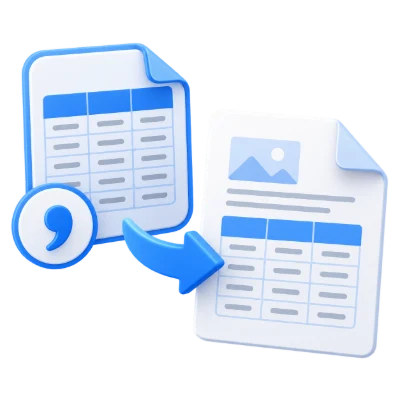
CSV to PDF is a free online tool that converts CSV (Comma Separated Values) files into PDF format. Adjust font family, font size, page size, margins, and orientation to create a clean PDF ready for printing and sharing.

CSV to PDF is a simple online CSV-to-PDF converter designed for turning CSV data into a convenient PDF document you can view, print, and share on any device. When exporting your CSV document to PDF, you can control key layout settings such as font family name, font size, page size, page margin, and page orientation to get a readable output that fits your needs. The tool runs directly in your browser with no software installation required, making it a practical choice for quick conversions whenever you need a consistent, portable format.


Type, paste, or upload file
Loading...
00:00

What CSV to PDF Does

  • Converts CSV (Comma Separated Values) files into PDF documents
  • Creates a convenient PDF format for printing and sharing
  • Lets you control font family name and font size for readability
  • Lets you choose page size to match your document requirements
  • Lets you set page margins and page orientation for better layout
  • Works online without requiring software installation

How to Use CSV to PDF

  • Upload your CSV file
  • Choose your preferred font family and font size
  • Select page size, page margins, and page orientation
  • Convert the CSV to PDF
  • Download the generated PDF file

Why People Use CSV to PDF

  • Share CSV data in a format that opens consistently on most devices
  • Prepare CSV-based tables for printing
  • Create a read-only version of CSV content for distribution
  • Improve presentation by choosing fonts and page layout settings
  • Avoid installing desktop software just to export CSV to PDF

Key CSV to PDF Features

  • Free online CSV to PDF conversion
  • Font family name selection
  • Font size control
  • Page size selection
  • Configurable page margins
  • Page orientation options for better fit

Common CSV to PDF Use Cases

  • Printing CSV exports from spreadsheets or databases
  • Sharing CSV data as a PDF attachment for easier viewing
  • Creating PDF records from CSV reports
  • Formatting CSV tables into a more presentable document
  • Distributing data summaries where a consistent layout matters

What You Get After Converting

  • A PDF version of your CSV document
  • A layout you can tune using font and page settings
  • A file that is convenient to print and share
  • A document that is easy to open across platforms and devices
  • A clean output suited for archiving or distribution

Who CSV to PDF Is For

  • Office users preparing printable data exports
  • Students submitting CSV-based assignments or lab results
  • Analysts sharing CSV outputs as readable PDFs
  • Operations and finance teams distributing tabular reports
  • Anyone who needs to convert a CSV file into a PDF quickly

Before and After Using CSV to PDF

  • Before: CSV files may open differently depending on software and settings
  • After: Your data is delivered as a consistent PDF document
  • Before: Printing CSV data can be awkward without page setup control
  • After: Page size, margins, and orientation can be set for printing
  • Before: Recipients may need a spreadsheet app to view the file comfortably
  • After: Recipients can view the PDF on virtually any device

Why Users Trust CSV to PDF

  • Straightforward CSV-to-PDF conversion focused on practical output
  • Runs online without requiring installation
  • Customizable export settings for font and page layout
  • Designed for fast conversion and easy sharing
  • Part of the i2PDF online tool collection

Important Limitations

  • The output is a PDF representation of your CSV data, not an editable CSV file
  • Very wide tables may require adjusting page size or orientation to fit better
  • Complex data may need experimentation with font size and margins for readability
  • Free usage may have file size limits depending on service constraints

Other Names for CSV to PDF

Users may look for this tool using terms such as csv to pdf converter online, convert csv to pdf, csv file to pdf, csv document to pdf, online csv to pdf converter, or csv2pdf.

CSV to PDF vs Other CSV Export Options

How does CSV to PDF compare to other ways of turning CSV data into a shareable document?

  • CSV to PDF: Converts a CSV file directly to PDF online and lets you set font and page layout options
  • Spreadsheet/desktop exports: May require installed software and can vary by application and system settings
  • Use CSV to PDF When: You need a quick, consistent PDF for printing or sharing, without installing anything

Frequently Asked Questions

CSV to PDF is an online tool that converts a CSV (Comma Separated Values) file into a PDF document for easier viewing, printing, and sharing.

Yes. When exporting your CSV to PDF, you can control font family name, font size, page size, page margin, and page orientation.

Yes. i2PDF provides CSV to PDF as a free online conversion tool.

No. The conversion works online in your browser, so no installation is required.

PDF is a convenient format to print and share on any device, and it helps keep the layout consistent for recipients.

If you cannot find an answer to your question, please contact us
admin@sciweavers.org

Convert CSV to PDF Now

Upload your CSV file and create a clean PDF with customizable font and page settings in seconds.

CSV to PDF

Related PDF Tools on i2PDF

Why CSV to PDF ?

The humble CSV, or Comma Separated Values, file, is a workhorse of data storage and exchange. Its simplicity and universality make it a cornerstone of many workflows, from scientific research to business analytics. However, the raw, unformatted nature of CSV often presents challenges when it comes to distribution, presentation, and long-term archiving. This is where the conversion of CSV to PDF, or Portable Document Format, becomes critically important, offering a multitude of benefits that enhance the usability and longevity of the data.

One of the most significant advantages of converting CSV to PDF is the improvement in data presentation and readability. CSV files, by their very nature, are plain text and lack any inherent formatting. While suitable for machine processing, they are often difficult for humans to interpret directly. Large CSV files can be particularly overwhelming, with columns stretching beyond the screen and rows disappearing into the abyss. Converting to PDF allows for the application of formatting elements such as headers, footers, page numbers, and customized fonts. Tables can be structured with clear column headings, borders, and alternating row colors, making the data significantly easier to scan and understand. Furthermore, PDF allows for the inclusion of charts and graphs generated from the data, providing a visual representation that can reveal trends and patterns that might be obscured in the raw CSV format. This enhanced presentation is crucial for reports, presentations, and any situation where the data needs to be readily accessible and comprehensible to a human audience.

Beyond aesthetics, PDF conversion offers enhanced control over data layout and pagination. CSV files, when printed directly, often suffer from issues like column truncation, page breaks in awkward locations, and an overall unprofessional appearance. PDF allows for precise control over page size, margins, and column widths, ensuring that the data is presented in a coherent and visually appealing manner. The ability to define page breaks prevents data from being split across pages in an undesirable way, maintaining the integrity and readability of the information. This is particularly important for documents that need to be printed or shared in a professional context, where a polished presentation can significantly impact the perceived credibility of the data.

Another key benefit of PDF conversion is its platform independence. PDF files are designed to be viewed consistently across different operating systems, devices, and software applications. This ensures that the data will be displayed as intended, regardless of the recipient's environment. In contrast, the rendering of CSV files can vary depending on the software used to open them. Different spreadsheet applications may interpret delimiters differently, leading to misaligned columns and incorrect data display. By converting to PDF, these inconsistencies are eliminated, guaranteeing that everyone sees the same information, regardless of their technology setup. This is particularly crucial when sharing data with external stakeholders or collaborating with individuals who may be using different software.

Security is another important consideration that favors PDF conversion. CSV files are inherently vulnerable to accidental or malicious modification. Because they are plain text, they can be easily edited with any text editor, potentially leading to data corruption or unauthorized alterations. PDF files, on the other hand, can be password-protected, preventing unauthorized access and modification. Digital signatures can also be added to PDFs, providing assurance of authenticity and integrity. These security features are essential for sensitive data that needs to be protected from tampering or unauthorized disclosure. In industries such as finance, healthcare, and legal, where data security is paramount, PDF conversion is often a mandatory requirement for data sharing and archival.

Furthermore, PDF conversion facilitates long-term archiving and preservation of data. CSV files, while simple, can be susceptible to data loss or corruption over time, especially if stored on outdated media or opened with incompatible software. PDF, as a standardized and widely supported format, is more likely to remain accessible and readable in the future. PDF/A, a specific subset of PDF, is designed specifically for long-term archiving and ensures that the document will be rendered consistently even decades from now. By converting CSV data to PDF/A, organizations can ensure that their valuable information remains accessible and usable for future generations. This is particularly important for regulatory compliance, historical record keeping, and any situation where data needs to be preserved for an extended period.

Finally, the process of converting CSV to PDF can be automated, streamlining workflows and saving time. Numerous software tools and libraries are available that can perform this conversion in batch mode, allowing users to process large volumes of data quickly and efficiently. This automation is particularly valuable for organizations that regularly generate reports or need to share data with a large number of recipients. By automating the conversion process, they can reduce manual effort, minimize errors, and ensure that data is consistently presented in a professional and secure manner.

In conclusion, the conversion of CSV to PDF offers a wide range of benefits that extend far beyond simple formatting. It enhances data presentation, improves readability, ensures platform independence, provides security features, facilitates long-term archiving, and enables automation. While CSV remains a valuable format for data storage and exchange, PDF conversion is often the necessary step to transform raw data into a usable, presentable, and secure document that can be effectively shared, archived, and utilized for decision-making. The advantages of PDF conversion are undeniable, making it an essential tool for anyone working with data in a professional or academic setting.