Table to PDF – Create Tables Online & Export to PDF
Build a table in your browser or import CSV, then convert it into a clean PDF table
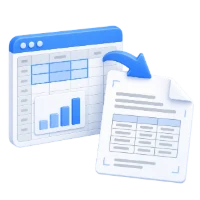
Table to PDF is a free online tool that helps you create a table online, fill it with data, and convert it into a PDF. You can also upload a CSV file to populate the table and export a good-looking PDF table in seconds.
Table to PDF is designed for anyone who needs a quick way to turn structured data into a readable PDF table. You can create a table online from scratch and populate it directly, or upload a CSV file to fill the table automatically. The tool supports common delimiter options (comma by default, with alternatives such as semicolon, tab, or space) so your CSV data imports correctly. Before exporting, you can adjust the appearance by changing the table header and row colors. This makes it useful for converting CSV data into a clear, well-formatted PDF table or creating a table on the fly when you need a simple PDF output without installing software.
What Table to PDF Does
- Creates a table online and converts it to a PDF file
- Lets you populate the table manually with your own data
- Imports data by uploading a CSV file to fill the table
- Supports delimiter options for CSV import (comma by default, plus semicolon, tab, or space)
- Allows basic table styling by changing header and row colors
- Works online in your browser with no installation required
How to Use Table to PDF
- Open the Table to PDF tool
- Create your table and enter data, or upload a CSV file to populate it
- If using CSV, choose the correct delimiter option (comma, semicolon, tab, or space)
- Adjust table header and row colors as needed
- Convert and download your table as a PDF
Why People Use Table to PDF
- Turn CSV data into a readable PDF table for sharing
- Create a simple table quickly without spreadsheets or desktop apps
- Produce a consistent PDF layout for reports, summaries, or attachments
- Improve presentation by applying clear header and row colors
- Generate a PDF table directly in the browser when working on different devices
Key Table to PDF Features
- Online table creation and PDF export
- CSV upload to populate table data
- Delimiter selection for CSV import (comma, semicolon, tab, space)
- Header and row color customization
- Fast conversion to a good-looking PDF table
- No software installation required
Common Table to PDF Use Cases
- Converting exported CSV lists into a PDF for emailing or uploading
- Creating a quick price list, schedule, or checklist as a PDF table
- Generating a PDF table for documentation, proposals, or internal notes
- Preparing a simple data table for printing or archiving
- Sharing tabular data when recipients prefer PDF over spreadsheet files
What You Get After Converting
- A PDF file containing your table in a clean layout
- A readable table that is easy to share and view across devices
- CSV data represented as a structured table in PDF
- A table with customized header and row colors for clarity
- A finished PDF suitable for attachments, downloads, or storage
Who Table to PDF Is For
- Students and educators creating simple tables for assignments or handouts
- Business users preparing tables for reports, proposals, and documentation
- Operations and admin teams converting CSV exports into shareable PDFs
- Freelancers and consultants sending tabular deliverables to clients
- Anyone who needs a quick table-to-PDF conversion without installing software
Before and After Using Table to PDF
- Before: Data is in a CSV file that is inconvenient to share with non-technical recipients
- After: The same data is presented as a clear table inside a PDF
- Before: You need a quick table but don’t want to open a spreadsheet app
- After: You can create the table online and export it directly to PDF
- Before: CSV columns don’t split correctly due to delimiter differences
- After: You can select the delimiter option (comma, semicolon, tab, or space) and generate the PDF table
Why Users Trust Table to PDF
- Simple workflow focused on creating tables and exporting them to PDF
- CSV import support with delimiter options to reduce formatting issues
- Useful styling controls (header and row colors) for readable results
- Runs online in the browser without requiring software installation
- Part of the i2PDF tool suite for common PDF workflows
Important Limitations
- CSV import depends on selecting the correct delimiter for your file
- If CSV data is inconsistent (missing separators or uneven columns), the table may need manual adjustments
- This tool focuses on table creation and export; it is not a full PDF editor
- Free usage may have practical limits depending on file size or very large tables
Other Names for Table to PDF
Users may look for Table to PDF using terms like convert table to PDF, online table maker, online table generator, make table online, CSV to PDF table, or PDF table creator.
Table to PDF vs Other Table-to-PDF Options
How does Table to PDF compare to other ways of getting a table into a PDF?
- Table to PDF: Create a table online or import CSV, choose delimiter options, apply basic colors, and export a PDF table directly in the browser
- Spreadsheet export workflows: Often require opening a desktop app, fixing CSV delimiter issues manually, and then exporting to PDF
- Use Table to PDF When: You want a fast, browser-based way to turn CSV data into a good-looking PDF table or create a table from scratch and export it
Frequently Asked Questions
It lets you create a table online, fill it with data (manually or via CSV upload), and convert the table into a PDF.
Yes. You can upload a CSV file to populate the table, then export the result as a PDF.
Comma is the default delimiter, and you can also choose semicolon, tab, or space under the options.
Yes. You can change the table header and row colors to improve readability in the PDF.
No. Table to PDF works online in your browser.
Create Your Table and Export to PDF
Build a table online or upload a CSV file, then convert it into a clean PDF table.
Related PDF Tools on i2PDF
Why Table to PDF ?
The humble table, a grid of rows and columns, is a fundamental structure for organizing and presenting data. From financial spreadsheets to scientific datasets, tables are ubiquitous in the modern world. However, the digital landscape demands versatility, and the static nature of a table within a spreadsheet or document can be limiting. Converting tables to PDF format unlocks a wealth of possibilities, enhancing accessibility, preserving formatting, and facilitating seamless sharing and distribution across diverse platforms and devices. The importance of this conversion extends far beyond mere convenience; it plays a crucial role in data integrity, professional presentation, and efficient information dissemination.
One of the most significant benefits of converting tables to PDF is the preservation of formatting. Spreadsheets, word processors, and other applications often render tables differently depending on the software version, operating system, or even the user's individual settings. This can lead to inconsistencies, misinterpretations, and even data corruption when a table is opened on a different system. PDF, on the other hand, is designed to be a platform-independent format. It ensures that the table appears exactly as intended, regardless of the recipient's software or hardware. This is particularly crucial for documents that require a high degree of accuracy, such as legal contracts, financial reports, and scientific publications. The fixed layout of a PDF guarantees that the visual representation of the data remains consistent, eliminating the risk of unintended alterations or misalignments.
Furthermore, PDF conversion enhances the accessibility of tables. While specialized software is required to edit a spreadsheet, PDF readers are readily available and often pre-installed on most devices. This broad accessibility makes it easier for a wider audience to view and interact with the data. PDF documents can be easily shared via email, cloud storage, or printed without the fear of compatibility issues. Moreover, PDF supports features like text searching and highlighting, allowing users to quickly locate specific information within the table. This is particularly useful for large datasets where manual searching would be time-consuming and inefficient. The ability to easily search and navigate the data within a PDF table empowers users to extract the information they need quickly and effectively.
Beyond accessibility, converting tables to PDF facilitates professional presentation. A well-formatted PDF document exudes a sense of professionalism and attention to detail. The ability to control the layout, font, and overall appearance of the table within the PDF allows for a polished and visually appealing presentation. This is particularly important when sharing information with clients, stakeholders, or potential investors. A professionally presented table can enhance credibility and convey a sense of competence and expertise. Features like bookmarks and hyperlinks can also be added to a PDF document to further enhance its usability and navigation, making it easier for the reader to understand and absorb the information presented in the table.
The security features of PDF also contribute to its importance in handling tabular data. PDF documents can be password-protected to restrict access to sensitive information. This is particularly important for tables containing confidential financial data, personal information, or proprietary business secrets. The ability to control who can view, print, or edit the document ensures that the data remains secure and protected from unauthorized access. Furthermore, PDF documents can be digitally signed to verify their authenticity and ensure that they have not been tampered with. This is crucial for legal documents and other important records where integrity and provenance are paramount.
The conversion of tables to PDF also streamlines the process of printing. When printing directly from a spreadsheet or word processor, the output can sometimes be unpredictable, with tables being cut off or misaligned due to printer settings or margin limitations. PDF, on the other hand, provides a consistent and reliable printing experience. The fixed layout of the PDF ensures that the table is printed exactly as it appears on the screen, eliminating the need for manual adjustments or reformatting. This is particularly useful for printing large tables or documents with complex layouts.
In addition to these practical benefits, converting tables to PDF also supports long-term archiving. As software and file formats evolve, older file types may become obsolete or incompatible with newer systems. PDF, however, is designed to be a long-lasting and stable format. Its widespread adoption and open standard ensure that PDF documents will remain accessible and readable for years to come. This makes PDF an ideal format for archiving important tabular data, ensuring that it can be retrieved and accessed even as technology changes.
Finally, the ability to embed tables within larger PDF documents is a significant advantage. Reports, presentations, and other complex documents often require the inclusion of tabular data to support the text and provide evidence. Converting the table to PDF allows it to be seamlessly integrated into the document without compromising the overall formatting or layout. This creates a cohesive and professional-looking document that is easy to read and understand.
In conclusion, the conversion of tables to PDF is far more than a simple file format conversion. It is a critical process that enhances data integrity, improves accessibility, facilitates professional presentation, enhances security, streamlines printing, and supports long-term archiving. The benefits of this conversion are numerous and far-reaching, making it an essential practice for anyone who works with tabular data in the digital age. By leveraging the power of PDF, individuals and organizations can ensure that their data is presented accurately, securely, and effectively, regardless of the platform or device used to access it. The ability to preserve formatting, control access, and ensure long-term accessibility makes the conversion of tables to PDF an indispensable tool for managing and sharing information in the modern world.