

Developers
Feed a XML processing workflow
Export page content as XML for a script or application that understands the documented output structure.
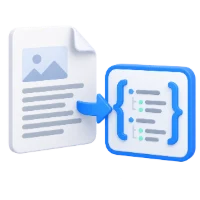
Export PDF text, images and drawing geometry as XML.
Use the page controls to inspect your document.
Download your result, or return to the settings to make another version.
Upload one PDF from your device.
Review the available settings, then start processing.
Save the result and check it before sharing.
Export PDF text, images and drawing geometry as XML. Select pages and download a structured description, with image assets packaged alongside it when needed.
Export page content as XML for a script or application that understands the documented output structure.
Use content coordinates to study page layout; they refer to the unrotated PDF page rather than browser pixels.
Review extracted objects before building document-specific parsing rules. Scans need OCR for recognized text.
Retrieve a structured description of page content rather than a plain transcript.
The versioned structure includes pages, text blocks and spans, fonts, bounding boxes and vector drawing paths. Coordinates are in PDF points from the unrotated page’s top-left origin; rotation is recorded separately. This can support indexing or document analysis, but the converter does not infer your own business schema or semantic field names.
Receive a direct data file or a ZIP when extracted images are included.
When a page contains image data, the archive contains document.json or document.xml plus referenced image files and any supported masks. Keep those paths together when loading the data elsewhere. An image-only scan remains image data; this export does not perform OCR to invent missing text spans.
Process the whole document or enter specific page numbers and ranges.
Use PDF positions, starting at 1, rather than numbers printed on the page. A list such as 1, 3-5 includes four pages. A blank range uses every page. Check the preview when the document includes a cover or differently numbered chapters. Only the chosen pages are included in this conversion.
Text extraction reads a text layer; it does not recognize letters in images.
Extraction uses an existing text layer and does not recognize letters in page images. If a page has no readable text, use PDF OCR separately. A blank page can also produce no text. For mixed PDFs, inspect empty or unreadable pages individually. OCR processes one selected page at a time.
Open one PDF up to 100 MB and 750 source pages. Protected files need an unlocked copy unless this tool explicitly offers password entry. Large or complex pages can require more memory or reach processing limits even when the file is within these limits.
Processing uses our servers. Source files, temporary files and results are deleted from our servers within 30 minutes after processing finishes. We do not share document contents with third parties or use them to train AI models.
Know what to expect before you start.
Temporary server processingIt exports page content and geometry, not automatically named business fields. Your application must interpret that structure. For table cells, use Extract Tables from PDF; for scans, use PDF OCR.
The versioned structure includes pages, text blocks and spans, fonts, bounding boxes and vector drawing paths. Coordinates are in PDF points from the unrotated page’s top-left origin; rotation is recorded separately. This can support indexing or document analysis, but the converter does not infer your own business schema or semantic field names.
When a page contains image data, the archive contains document.json or document.xml plus referenced image files and any supported masks. Keep those paths together when loading the data elsewhere. An image-only scan remains image data; this export does not perform OCR to invent missing text spans.
Extraction uses an existing text layer and does not recognize letters in page images. If a page has no readable text, use PDF OCR separately. A blank page can also produce no text. For mixed PDFs, inspect empty or unreadable pages individually. OCR processes one selected page at a time.
Open one PDF up to 100 MB and 750 source pages. Protected files need an unlocked copy unless this tool explicitly offers password entry. Large or complex pages can require more memory or reach processing limits even when the file is within these limits.
This tool uses our servers for processing. Your original file is not overwritten; the result is a separate download. Preview and review the result where available, and download the copy you need before starting over.