



Students
Find a file-to-PDF converter
Start with an assignment file when you are unsure which converter to use. The matching tool supplies its settings and preview.
Upload your file and we will open the right PDF tool, with your file ready and all its settings available.
Use the page controls to inspect your document.
Save your result or return to adjust the settings.
Upload or drop one image, document, ebook or CAD file.
We recognize the file extension and open its dedicated tool in the same language.
Choose the settings in that tool, then create and download your PDF.
Choose a supported file and continue in the matching PDF tool. This starting point routes images, Office documents, text, ebooks and CAD files to their dedicated settings and previews.
Start with an assignment file when you are unsure which converter to use. The matching tool supplies its settings and preview.
Route an Office or text document to its dedicated converter. Check fonts and pagination in the finished output.
Choose a supported picture or CAD file and continue with the appropriate workflow. Formats have different layout and size limits.
Convert to PDF routes your input to its dedicated workspace.
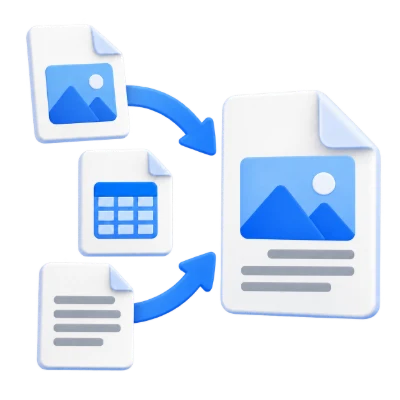
A JPG opens JPG to PDF, a spreadsheet opens Excel to PDF, and supported text, ebook and CAD formats open their corresponding tools. An existing PDF opens PDF Viewer. The selected file is handed to the destination so you can continue without choosing it again; it is not automatically converted on arrival.
Adjust format-specific options before generating the PDF.
An image workspace lets you arrange pages and choose paper and margins. Text and data tools offer editing and formatting, while specialist converters show their own relevant options. The destination checks the file again against its supported types and limits. Unsupported or mismatched file content is not fixed by renaming its extension.
The handoff carries the chosen file to the next page locally.
The browser temporarily stages the file for the navigation to its matching tool. File contents are not placed in the URL. If browser storage is blocked or the handoff expires, open the destination tool and choose the file there. The destination’s own processing policy determines whether later conversion uses the server.
Use the accepted format and keep required resources with the document.
The filename extension must match the actual file type. Renaming an unrelated file does not convert it. Keep any required resources available within the document, and use an unencrypted file you are authorized to process. Processing can fail on damaged, unsupported or unusually complex content even when its byte size is within the upload limit.
Choose one file. Text and Office formats are limited to 10 MB; other supported non-PDF formats to 50 MB. PDF files can be up to 300 MB. The destination tool applies its own file and page limits.
Routing happens on your device. The destination tool explains whether its own processing stays local or uploads files to our servers. Review its settings before starting.
Know what to expect before you start.
Finds the right toolA JPG opens JPG to PDF, a spreadsheet opens Excel to PDF, and supported text, ebook and CAD formats open their corresponding tools. An existing PDF opens PDF Viewer. The selected file is handed to the destination so you can continue without choosing it again; it is not automatically converted on arrival.
An image workspace lets you arrange pages and choose paper and margins. Text and data tools offer editing and formatting, while specialist converters show their own relevant options. The destination checks the file again against its supported types and limits. Unsupported or mismatched file content is not fixed by renaming its extension.
The browser temporarily stages the file for the navigation to its matching tool. File contents are not placed in the URL. If browser storage is blocked or the handoff expires, open the destination tool and choose the file there. The destination’s own processing policy determines whether later conversion uses the server.
Choose one supported file. Text and Office files can be up to 10 MB; other supported non-PDF files up to 50 MB; PDFs up to 300 MB. The destination tool applies its own page, file and processing limits before conversion.