



Readers
Read an AZW3 book as a PDF
Convert an unprotected AZW3 file to fixed pages for a PDF reading or printing workflow.
Turn your azw3 into a PDF.
Use the page controls to inspect your document.
Save your result or return to adjust the settings.
Upload a supported file or use the sample.
Review the available settings, then start processing.
Save the result and check it before sharing.
Convert an unprotected AZW3 ebook into fixed PDF pages. Choose a standard or custom page size, orientation and layout method, then review chapters and illustrations before downloading. DRM-protected books are not supported.
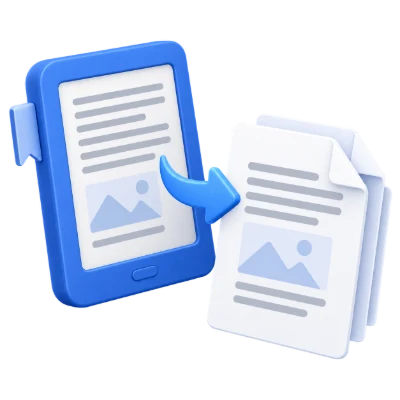
Convert an unprotected AZW3 file to fixed pages for a PDF reading or printing workflow.
Convert reading material you are permitted to use, then check chapter order and page breaks before annotation or printing.
An ebook's flexible layout becomes fixed PDF pages. Inspect tables, footnotes and illustrations on the intended paper size.
Try the default method, then the alternative if the book needs it.
The ebook is prepared into a supported reading structure before PDF generation. Fast lays out the prepared content directly; Alternative layout uses a different conversion path. The same source can paginate differently between methods. DRM-protected or damaged ebooks may not convert, and the tool does not remove ebook access protection.
Choose a paper preset or custom width and height in inches.
Set portrait or landscape orientation. Reflowable books can form more or fewer PDF pages as the sheet dimensions change. Fixed-layout content is more dependent on its original page design. Custom dimensions must remain within the displayed limits. Review image pages, chapter starts and right-to-left passages before downloading.
The exported PDF reflects the layout the converter can reproduce.
Missing fonts, unsupported effects, embedded objects and complex layout can change appearance. Open Preview after conversion and inspect important pages, symbols and line breaks. The tool creates a PDF for reading and sharing; it does not provide the full editing controls of the source application or guarantee identical output from every document.
Preview the result before downloading and sharing it.
Select Start when the settings are ready. On the result screen, Preview opens the generated PDF and Download saves a separate copy. Back returns to the current workspace; Start over clears it for a new file. Review small text, page edges and page order in the finished copy. A new PDF does not preserve the validity of an existing digital signature.
Open one supported file up to 50 MB. Generated PDFs are limited to 750 pages; complex files may reach processing or memory limits earlier.
Processing uses our servers. Source files, temporary files and results are deleted from our servers within 30 minutes after processing finishes. We do not share document contents with third parties or use them to train AI models.
Know what to expect before you start.
Temporary server processingNot necessarily. Ebook pagination often depends on screen size and reading settings. PDF conversion creates fixed pages using the selected layout, so chapter order is a better reference than matching page numbers.
The ebook is prepared into a supported reading structure before PDF generation. Fast lays out the prepared content directly; Alternative layout uses a different conversion path. The same source can paginate differently between methods. DRM-protected or damaged ebooks may not convert, and the tool does not remove ebook access protection.
Set portrait or landscape orientation. Reflowable books can form more or fewer PDF pages as the sheet dimensions change. Fixed-layout content is more dependent on its original page design. Custom dimensions must remain within the displayed limits. Review image pages, chapter starts and right-to-left passages before downloading.
Missing fonts, unsupported effects, embedded objects and complex layout can change appearance. Open Preview after conversion and inspect important pages, symbols and line breaks. The tool creates a PDF for reading and sharing; it does not provide the full editing controls of the source application or guarantee identical output from every document.
Supported input: AZW3; up to 50 MB per file. Generated PDFs have no fixed page-count or file-size cap. Input and processing limits still apply.
This tool uses our servers for processing. Your original file is not overwritten; the result is a separate download. Preview and review the result where available, and download the copy you need before starting over.