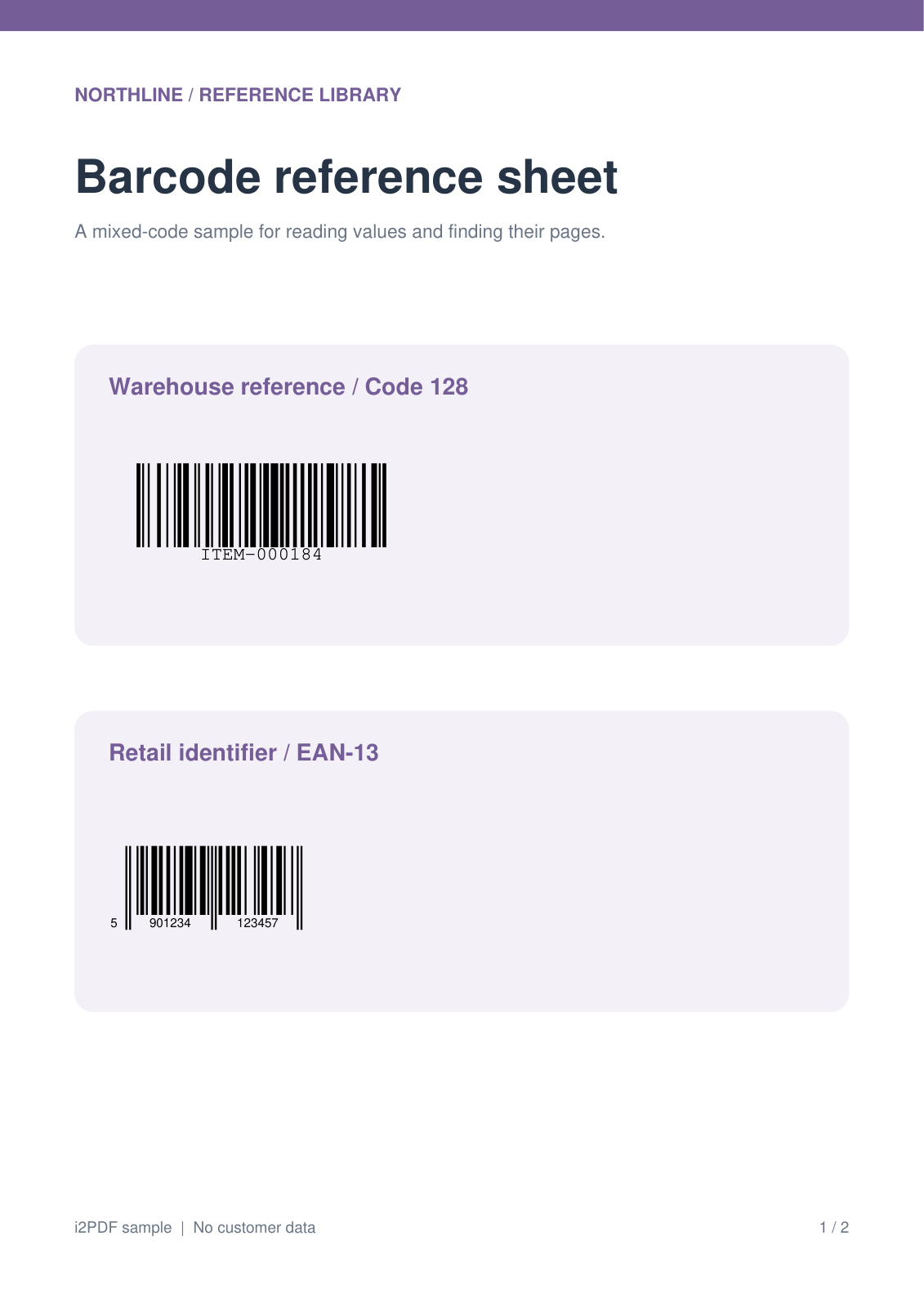
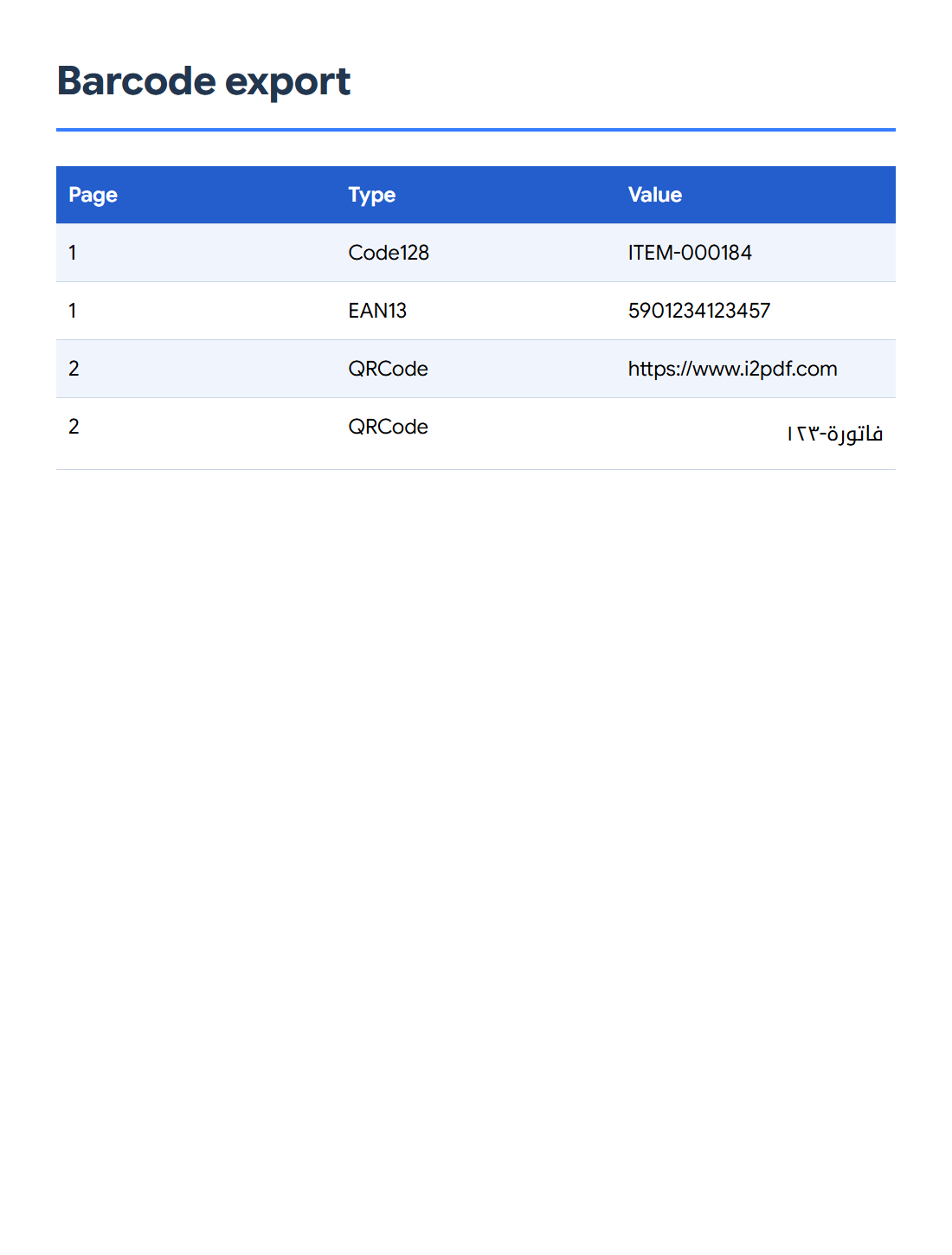

Open Extract Barcodes from PDF to find codes and export their decoded values. Our two-page reference sheet yields four results: a Code 128 value, an EAN-13 number and two QR values.
Open the PDF and find codes
Add your PDF, keep all types under Barcode type and use the find control to populate the results. The tool reads the rendered pages and lists the codes it can decode.
Check the value, type and page for each result. In our sample, page 1 contains Code 128 and EAN-13; page 2 contains two QR codes.
Filter the values you need
Use the barcode-type filter to focus on linear barcodes or matrix codes when useful. Filter values narrows results by their decoded content.
Keep the filters unrestricted to reproduce all four rows. Compare results with the original pages: a low-resolution, damaged or crowded code may be missed.
Choose a format and export
Choose CSV under Download as and press Start. Open the file in a spreadsheet and review the Page, Type and Value columns. Import identifiers as text when their exact digits or leading zeros matter.
JSON and text are useful for data workflows. The PDF option creates a document of the found code images for visual checking; it is a different output from the CSV table shown here.
Common questions
Does this extract ordinary text printed next to a barcode?
The value comes from decoding the barcode itself. A nearby caption is not automatically part of that value.
Can QR codes contain Arabic text?
Yes. The verified sample includes the decoded value فاتورة-١٢٣. Keep an output format and spreadsheet import that preserve Unicode text.
Try it with your document
Review the result, then save the version you need.