



Students
Meet a paper-size requirement
Convert a document to A4 or Letter when an assignment or application specifies a page size.
Fit PDF pages to A4, Letter, or another standard paper size while preserving their proportions.
Use the page controls to inspect your document.
Save your result or return to adjust the settings.
Upload one PDF from your device.
Review the available settings, then start processing.
Save the result and check it before sharing.
Fit PDF pages to A4, Letter, or another standard paper size while preserving their proportions. Content fits proportionally inside each sheet. Preview updates when you change settings. Interactive forms and annotations should be flattened first.
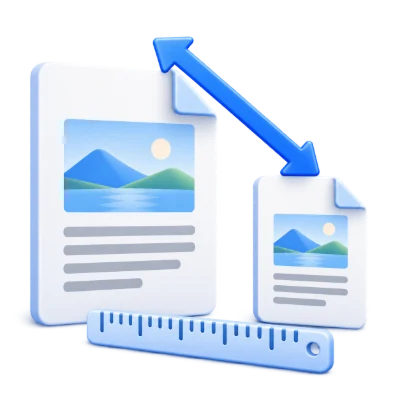
Convert a document to A4 or Letter when an assignment or application specifies a page size.
Fit differently sized source pages to the chosen sheet while keeping content proportions.
Inspect the visual layout and small text at the intended output size before distributing copies.
Choose a paper preset and its portrait or landscape orientation.
The tool creates one output sheet for each source page. Content is scaled proportionally and centered on the chosen paper, so different page proportions can leave blank space. It does not reflow paragraphs or change the document’s wording. Preview pages with unusual proportions before export.
Inspect the paper shape and readable text size in the preview.
A smaller sheet can make text physically smaller because the entire page is scaled. Zooming the preview does not change the saved paper size. Interactive elements may not survive page embedding as editable objects, so review forms and links in the result. For added writing room without scaling, use Add Margin to PDF.
The operation works with PDF pages rather than screenshots.
Text and vector artwork remain in PDF form where supported. The original file on your device is not overwritten. Interactive forms, annotations, links and document-level navigation can behave differently in a newly assembled document, so check the generated PDF before sharing it. Page rearrangement is not redaction of information inside retained pages.
Preview the result before downloading and sharing it.
Select Start when the settings are ready. On the result screen, Preview opens the generated PDF and Download saves a separate copy. Back returns to the current workspace; Start over clears it for a new file. Review small text, page edges and page order in the finished copy. A new PDF does not preserve the validity of an existing digital signature.
Open one PDF up to 300 MB and 750 source pages. Protected files need an unlocked copy unless this tool explicitly offers password entry. Large or complex pages can require more memory or reach processing limits even when the file is within these limits.
Processing takes place on your device without uploading the document. Download your result before closing the page; keep the original separately.
Know what to expect before you start.
On your deviceNo. Resizing changes page dimensions and how content fits the paper. It does not target a file-size reduction. Use Compress PDF when the concern is download size in MB.
The tool creates one output sheet for each source page. Content is scaled proportionally and centered on the chosen paper, so different page proportions can leave blank space. It does not reflow paragraphs or change the document’s wording. Preview pages with unusual proportions before export.
The source page is scaled proportionally and centered on the new paper. Different proportions leave blank space instead of stretching the content. A smaller sheet can make text physically smaller. Check forms and links in the result; use Add Margin to PDF when you need more writing room without scaling the content.
Open one PDF up to 300 MB and 750 source pages. Protected files need an unlocked copy unless this tool explicitly offers password entry. Large or complex pages can require more memory or reach processing limits even when the file is within these limits.
Document processing and PDF generation run in your browser on your device. This tool does not upload the document for processing. Save your result before closing or reloading the page; the original file on your device is unchanged.