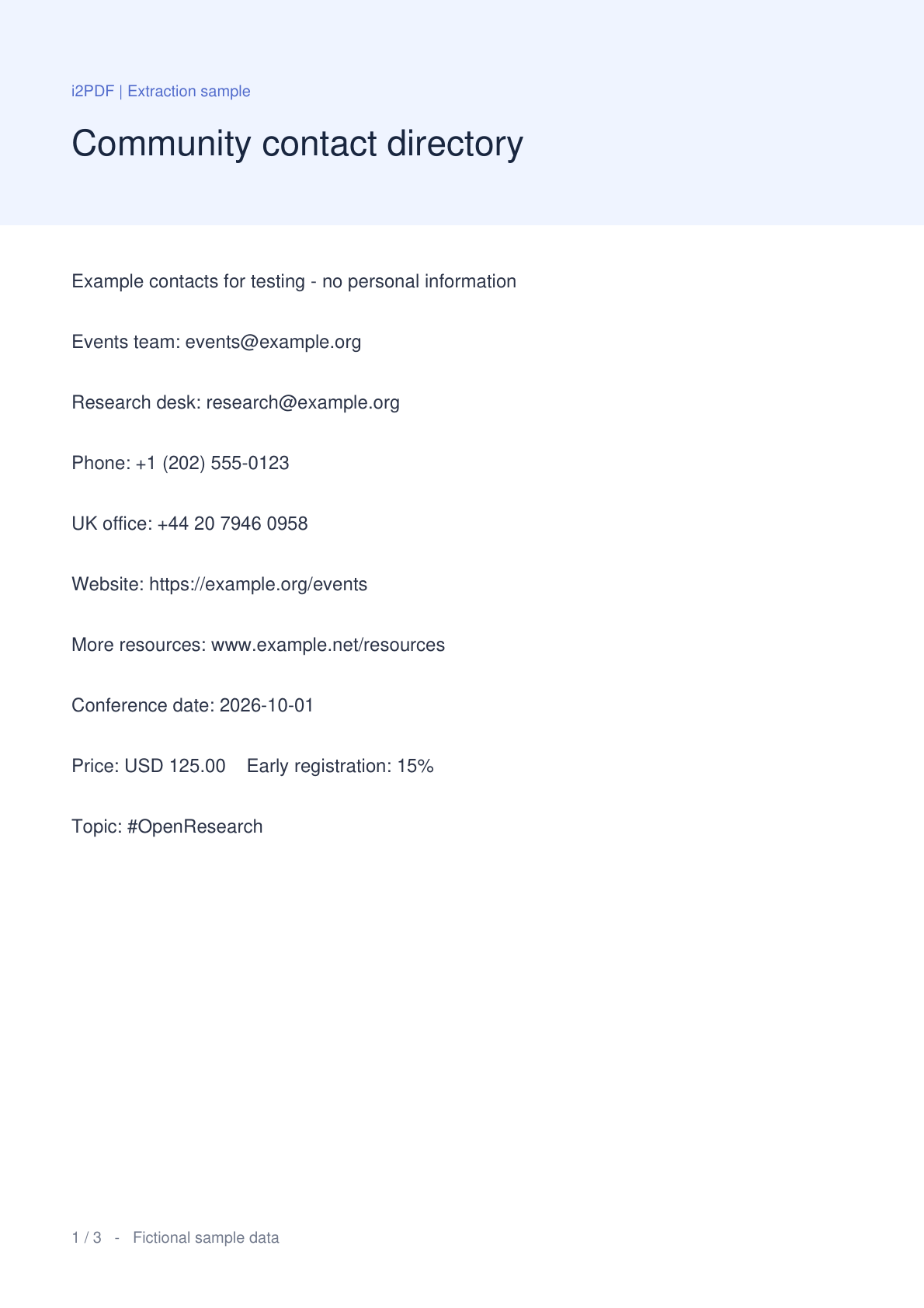
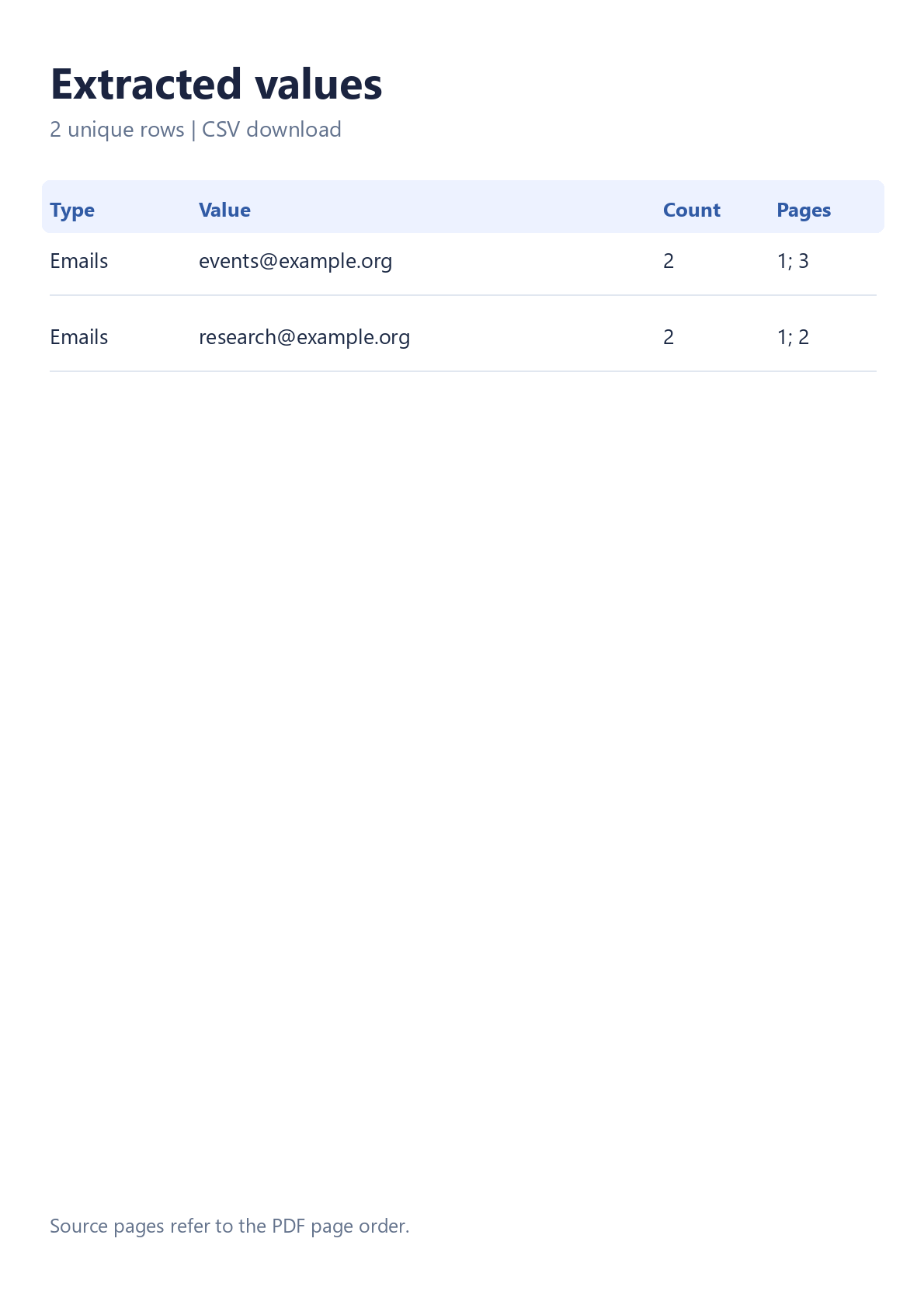

Open Extract Emails from PDF to collect values from one PDF without copying them line by line. The comparison uses the real sample document and a CSV downloaded from the tool. The three-page sample produces 2 unique email addresses from 4 occurrences.
Open your PDF
Upload one PDF, or select Try sample to follow this example. The PDF preview and page thumbnails appear. Your original file stays unchanged, and extraction runs in your browser.
A text-based directory, report, research paper or brochure is a useful starting point. Image-only scans need OCR before their printed text can be recognized.
Choose the useful options
On a phone, open Settings. On desktop, use the settings panel beside the preview.
Leave Remove duplicates enabled. Turn on Sort alphabetically if you want a contact list arranged by address. For this example, keep the default source order and CSV format.
Extract and check the matches
Select Extract. When processing finishes, the Results tab shows the values, occurrence counts and source pages. Select a circular page number to inspect its location in the PDF preview, then return to Results.
The sample returns events@example.org on pages 1 and 3, and research@example.org on pages 1 and 2. Each address appears once in the deduplicated list, with a count of 2. Turn off duplicate removal when you need every occurrence as its own row.
Use Filter results to narrow the list. Copying and downloading include all matching rows, even when the result table spans several screens of rows.
Download CSV or TXT
Select Download CSV, then use the main Download button on the ready screen. CSV contains Type, Value, Count and Pages columns. TXT and Copy all contain one value per line.
CSV values that could be interpreted as spreadsheet formulas are protected with a leading apostrophe. For example, an international phone number begins with a plus sign. Use TXT if you need a plain list without spreadsheet protection.
Common questions
Can I use the list directly in a mailing tool?
Copy all or TXT gives one address per line. CSV also keeps counts and page references. Review the list and your basis for contacting its owners before importing it into another system.
What should I do with a scanned PDF?
Run PDF OCR first, then load the recognized copy into this tool. Check OCR output carefully: a mistaken character can change an address or identifier.
What are the extraction limits?
Use one PDF up to 50 MiB and 750 pages. Extraction is bounded to 20,000 matches overall and 2,000 per page, with a 90-second processing budget. Text and annotation limits also apply. If a limit or unreadable page interrupts the scan, the tool shows a partial-results notice and marks the export filename as partial.
Are my PDF links opened automatically?
No. Extraction reads the file in the browser and does not visit extracted destinations. Page buttons navigate within the PDF preview.
Keep the values and their context
Extract a focused list, check the source pages, and download the format that suits your next step.