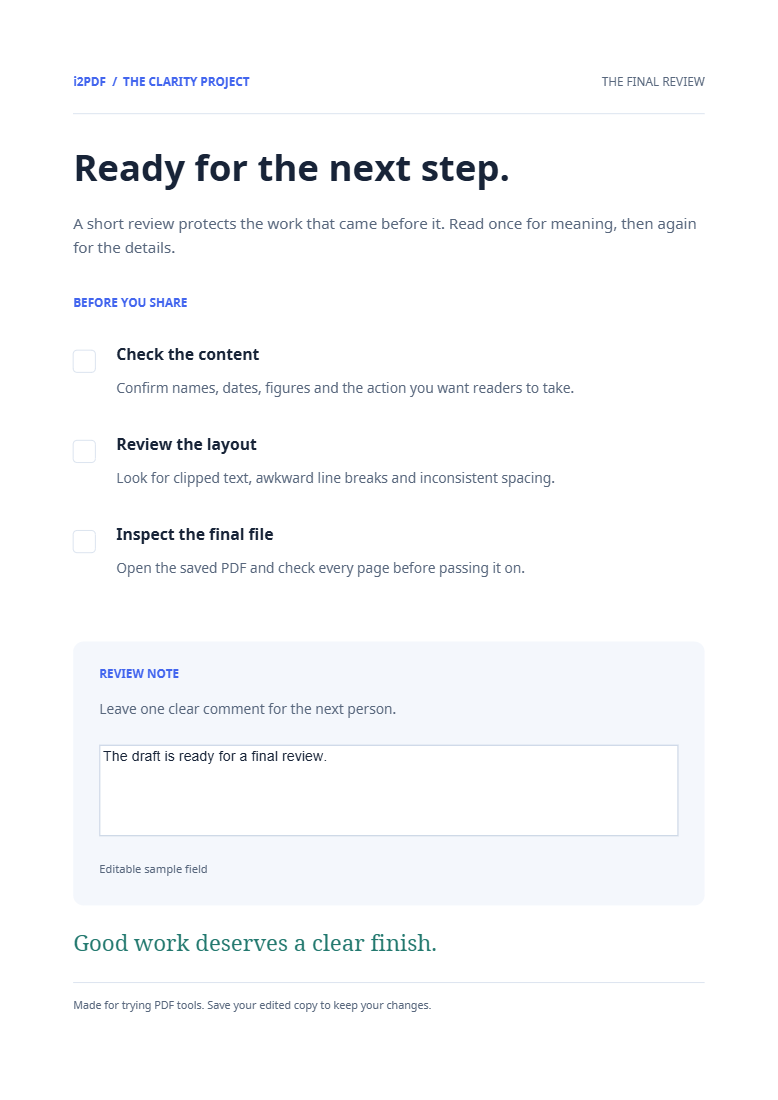
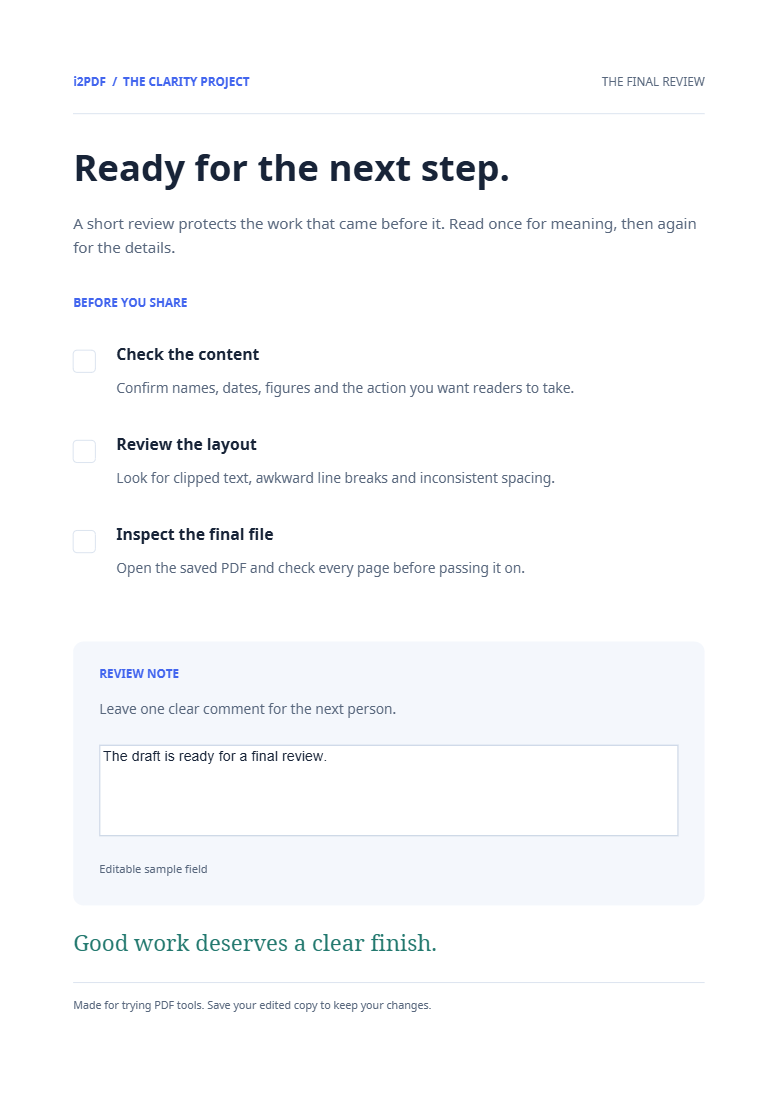

Open Flatten PDF to bake form fields and annotations into the pages. Our sample’s review-note field becomes visible page content while its interactive widget is removed.
Finish the form before flattening
Choose the completed PDF. Review entered text, selected boxes and visible annotations. Save an editable source copy if you may need to change the answers later.
Create the flattened copy
Choose Start. The tool bakes supported annotation and widget appearances into the page content. In our example the note reads The draft is ready for a final review.
Check appearance and interactivity
Download and open the output. Confirm the answer still appears, and that clicking the former field no longer lets you type into it. The example retains four pages and its note text, while the form widget count falls from one to zero.
Common questions
Will the filled answers disappear?
The aim is to preserve their visible appearance as fixed content. Check every important field in the exported file, especially unusual fonts or long answers.
How is this different from removing annotations?
Flattening keeps their appearance on the page. Remove Annotations removes supported markup instead.
Try it with your document
Review the result, then save the version you need.