Split PDF Online – Extract Page Ranges or Separate Pages

Split large PDFs into smaller files by page ranges, or extract every page into its own PDF

Split PDF is a free online tool that divides one PDF into multiple smaller PDF files. Extract specific page ranges or split every page into a separate document, directly in your browser.

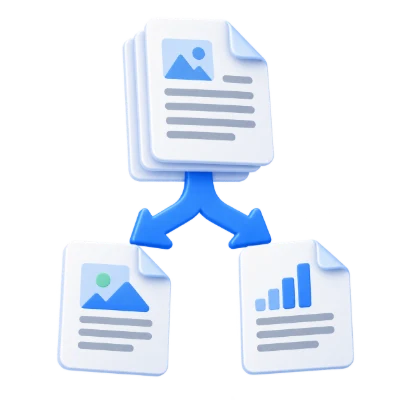
Split PDF is a practical online PDF splitter designed to help you separate a large PDF into smaller, easier-to-handle PDF files. You can extract specific page ranges (for example, pages 1–3 and 10–12) to create new PDFs containing only the pages you need, or you can extract every page into a separate PDF document. This is useful when you want to print, send, or share only selected pages—helping reduce unnecessary printing, file size, and transmission bandwidth. The tool works online without requiring software installation, making it a convenient option for quick, task-focused PDF splitting.

Files are automatically deleted after 30 min

What Split PDF Does

  • Splits one PDF into multiple smaller PDF files
  • Extracts specific page ranges into new PDF documents
  • Separates every page into its own individual PDF (one page per file)
  • Keeps pages in their original order within each extracted file
  • Helps share, send, or print only the pages you actually need
  • Runs online in your browser with no installation required

How to Use Split PDF

  • Upload your PDF file
  • Choose whether to extract page ranges or split into single-page PDFs
  • Specify the page range(s) you want to extract (if applicable)
  • Start the split process
  • Download the resulting PDF file(s)

Why People Use Split PDF

  • Send only the relevant pages instead of a full document
  • Extract chapters, sections, invoices, or forms from a longer PDF
  • Separate a multi-page scan into individual pages
  • Reduce file size for email sharing or online submission
  • Organize large PDFs into smaller, task-specific documents

Key Split PDF Features

  • Split PDF by specific page ranges
  • Option to extract each page as a separate PDF file
  • Works with multi-page PDF documents
  • Fast online processing without software installation
  • Free PDF splitting for everyday document tasks
  • Simple workflow designed for quick page extraction

Common PDF Splitting Use Cases

  • Extracting required pages for applications, onboarding, or compliance
  • Separating a contract into sections for review and approval
  • Splitting a report into chapters for easier sharing
  • Sending only relevant pages to clients or teammates
  • Turning a scanned multi-page document into separate PDFs per page

What You Get After Splitting

  • One or more new PDF files containing only the pages you selected
  • Smaller PDFs that are easier to upload, email, and store
  • Cleaner sharing workflows with fewer unnecessary pages
  • Documents ready for printing or submission
  • Better control over what information you send to others

Who Split PDF Is For

  • Students submitting only required pages from assignments or notes
  • Professionals extracting pages from reports, proposals, and presentations
  • Teams sharing specific sections for feedback or approval
  • Administrators splitting forms, statements, or records into separate files
  • Anyone who needs to divide a PDF into smaller, more focused documents

Before and After Using Split PDF

  • Before: You have a large PDF that contains more pages than you need to share
  • After: You have smaller PDFs containing only the relevant page ranges
  • Before: Printing or sending the full file wastes ink, paper, or bandwidth
  • After: You print or send only the pages of interest
  • Before: A multi-page scan is difficult to organize and manage
  • After: Each page can be separated into its own PDF for easy filing

Why Users Trust Split PDF

  • Clear, task-focused tool for splitting and extracting PDF pages
  • No installation required—works online in the browser
  • Helps reduce unnecessary sharing of extra pages
  • Reliable results for common page-range and per-page splitting needs
  • Part of the i2PDF suite of online PDF tools

Important Limitations

  • You need to know the page numbers to extract specific ranges
  • Splitting changes how pages are grouped but does not edit the content of pages
  • Very large PDFs may take longer to process depending on your device and connection
  • If you split into single-page files, you may need to manage multiple outputs

Other Names for Split PDF

Users may look for Split PDF using terms like PDF splitter, PDF cutter, PDF separator, divide PDF, break PDF, extract pages from PDF, or separate PDF pages.

Split PDF vs Other PDF Splitting Tools

How does Split PDF compare to other PDF splitting solutions?

  • Split PDF: Split by page ranges or extract each page into a separate PDF, fully online with no installation
  • Other tools: May require desktop installation, account sign-up, or paid plans for basic splitting
  • Use Split PDF When: You want a quick way to extract specific pages or separate a document into smaller PDFs for sharing or printing

Frequently Asked Questions

Split PDF divides a PDF into multiple smaller PDF files. You can extract specific page ranges or split every page into a separate PDF document.

Yes. You can extract specific page ranges to create new PDFs that include only the pages you choose.

Yes. The tool can extract every page into a separate PDF, creating one PDF per page.

Yes. Split PDF is a free online tool you can use directly in your browser without installing software.

Splitting helps you share or print only the desired pages, which can save time, reduce file size, and avoid sending unnecessary pages.

If you cannot find an answer to your question, please contact us
admin@sciweavers.org

Split Your PDF Now

Upload your PDF and extract page ranges or separate pages into new PDF files in seconds.

Split PDF

Related PDF Tools on i2PDF

Why Split PDF ?

The digital age has ushered in an unprecedented reliance on Portable Document Format (PDF) files. From academic papers and legal contracts to marketing brochures and e-books, PDFs have become the ubiquitous standard for document sharing and archival. However, the very nature of a PDF – its ability to encapsulate multiple pages and complex formatting – can sometimes become a hindrance. This is where the often-overlooked utility of splitting PDFs becomes crucial, offering a range of benefits that enhance efficiency, accessibility, and overall document management.

One of the most compelling reasons to split a PDF lies in improved file management. Large, multi-page PDFs can be cumbersome to navigate and manipulate. Imagine needing to extract a single page from a 500-page document. Without the ability to split the PDF, one would be forced to either print the entire document and physically extract the desired page, or resort to more complex and time-consuming methods within a PDF editor. Splitting the document into smaller, more manageable chunks allows for easier organization and retrieval of specific information. This is particularly valuable in professional settings where employees frequently need to access and share specific sections of lengthy reports, manuals, or contracts. By splitting the PDF, individuals can quickly locate and share the relevant information without overwhelming recipients with irrelevant content. This streamlined approach saves time and reduces the risk of errors associated with sifting through vast amounts of data.

Beyond organizational benefits, splitting PDFs significantly enhances accessibility. Large PDF files can be difficult to download and open, especially on devices with limited processing power or bandwidth. This is a significant concern for users in areas with poor internet connectivity or those relying on older computers or mobile devices. By splitting a large PDF into smaller, more manageable files, the download and rendering times are drastically reduced, making the information accessible to a wider audience. This is particularly important in educational contexts, where students may have varying levels of access to technology and internet connectivity. Ensuring that course materials are easily accessible is crucial for promoting equitable learning opportunities. Similarly, in government and public service sectors, making important documents readily available to the public, regardless of their technological capabilities, is essential for transparency and civic engagement.

Furthermore, splitting PDFs facilitates targeted distribution of information. In many situations, only a specific portion of a document is relevant to a particular audience. Sending the entire document, even if it contains valuable information, can be perceived as inefficient and even intrusive. Splitting the PDF allows for the targeted dissemination of information, ensuring that recipients only receive the content that is directly relevant to their needs. This is particularly important in marketing and sales, where sending targeted brochures or product catalogs to specific customer segments can significantly improve engagement and conversion rates. By tailoring the information to the recipient's interests, businesses can avoid overwhelming potential customers with irrelevant details and increase the likelihood of a positive response.

Another critical advantage of splitting PDFs lies in its ability to improve collaboration and workflow. When multiple individuals are working on different sections of a large document, splitting the PDF allows each person to focus on their assigned task without being hampered by the entire file. This streamlined workflow promotes efficiency and reduces the risk of conflicting edits or version control issues. For example, in legal settings, multiple lawyers may be working on different sections of a complex contract. Splitting the PDF allows each lawyer to focus on their specific area of expertise, ensuring that the final document is accurate and comprehensive. Similarly, in academic research, splitting a large research paper into individual chapters or sections allows different researchers to collaborate more effectively on different aspects of the study.

Beyond these practical benefits, splitting PDFs can also contribute to enhanced security. By separating sensitive information into distinct files, one can apply different security measures to each file based on its content. For example, a PDF containing confidential financial data can be password-protected or encrypted, while a PDF containing general information can be left unprotected. This granular approach to security allows for a more targeted and effective protection of sensitive information, reducing the risk of unauthorized access or disclosure.

Finally, splitting PDFs can be a crucial step in optimizing documents for specific purposes. For example, a large PDF containing high-resolution images may be too large to easily embed in a website or send via email. By splitting the PDF and optimizing the images in each smaller file, one can create versions that are better suited for online distribution. Similarly, splitting a PDF and converting each section to a different file format, such as Word or Excel, may be necessary for editing or further analysis.

In conclusion, the ability to split PDFs is not merely a convenient feature; it is an essential tool for efficient document management, enhanced accessibility, targeted distribution, improved collaboration, enhanced security, and optimized document usage. In a world increasingly reliant on digital documents, mastering the art of splitting PDFs is crucial for individuals and organizations seeking to maximize their productivity and effectiveness. From streamlining workflows to improving accessibility for diverse audiences, the benefits of splitting PDFs are far-reaching and contribute significantly to a more efficient and accessible digital landscape.

How to Split PDF ?

This video will show in detail how to split PDF.