DICOM to PDF Online – Convert DICOM Medical Images to PDF

Convert DICOM files into a shareable PDF, with each frame exported as a separate page

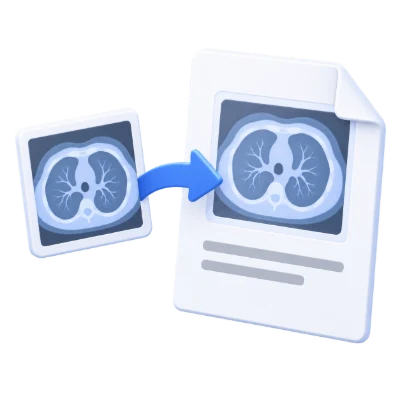
DICOM to PDF is a free online converter that turns DICOM (Digital Imaging and Communications in Medicine) images into a PDF file directly in your browser.

DICOM to PDF is a simple online tool for converting DICOM images used in medical imaging—such as XRay, CT, and MRI scans—into a standard PDF document. It helps you export DICOM files into a format that is easier to share, view, and store across different devices and workflows. When the DICOM is multi-frame or uses compression, the tool extracts every frame and places each one on its own page in the resulting PDF. The conversion runs online, requires no installation, and is designed for fast, straightforward DICOM-to-PDF exporting.

Files are automatically deleted after 30 min

What DICOM to PDF Does

  • Converts DICOM (Digital Imaging and Communications in Medicine) image files into a PDF document
  • Supports DICOM images commonly used for XRay, CT, and MRI scans
  • Extracts multi-frame DICOM content and exports each frame as a separate PDF page
  • Handles compressed DICOM images by extracting frames before creating the PDF
  • Creates a single PDF output that is easier to view and share than DICOM in many workflows
  • Works online without requiring software installation

How to Use DICOM to PDF

  • Upload your DICOM file
  • Start the conversion process
  • If the DICOM contains multiple frames, each frame will be converted into its own PDF page automatically
  • Download the converted PDF file

Why People Use DICOM to PDF

  • Share medical images in a widely supported PDF format
  • Open and review exported images more easily on common devices
  • Convert multi-frame studies into a multi-page PDF for convenient viewing
  • Prepare medical images for documentation, reports, or archiving workflows
  • Reduce friction when recipients do not have DICOM viewers available

Key DICOM to PDF Features

  • Free online DICOM to PDF conversion
  • Supports DICOM medical image files (including XRay, CT, and MRI sources)
  • Multi-frame extraction with one frame per PDF page
  • Compressed DICOM handling with frame extraction
  • No installation needed—works in the browser
  • Fast export to a single PDF file

Common DICOM to PDF Use Cases

  • Exporting DICOM scans to PDF for sharing with colleagues or patients
  • Creating a multi-page PDF from multi-frame DICOM images
  • Adding medical images to case documentation in PDF form
  • Preparing files for printing or offline review in a standard document format
  • Converting DICOM images for systems or teams that primarily use PDFs

What You Get After Converting

  • A PDF file generated from your DICOM image
  • Multi-page PDF output when the DICOM contains multiple frames
  • A format that is easier to share and open in common PDF viewers
  • A single document suitable for saving, sending, or including with other PDFs
  • Converted output produced online without needing installed tools

Who DICOM to PDF Is For

  • Healthcare professionals who need to share DICOM images in PDF format
  • Clinics and hospitals exporting images for documentation workflows
  • Medical students and educators preparing teaching materials from DICOM images
  • Researchers compiling imaging examples into PDFs
  • Anyone who needs a simple way to convert DICOM scans to PDF without installing software

Before and After Using DICOM to PDF

  • Before: You have DICOM images that may require a specialized viewer to open
  • After: You have a PDF that can be opened in standard PDF readers
  • Before: Multi-frame DICOM content is stored as frames inside a DICOM file
  • After: Each extracted frame appears as a separate page in the PDF
  • Before: Sharing DICOM files may be inconvenient in non-medical workflows
  • After: You can share a single PDF document more easily across common channels

Why Users Trust DICOM to PDF

  • Clear purpose-built converter for DICOM to PDF exporting
  • Works online without requiring local installation
  • Predictable output: multi-frame DICOM is converted into multi-page PDF
  • Simple workflow focused on conversion rather than complex editing
  • Part of the i2PDF tool suite for common document conversions

Important Limitations

  • This tool converts DICOM images to PDF; it is not a diagnostic DICOM viewer
  • Complex DICOM datasets may contain multiple frames; output will be a multi-page PDF (one page per extracted frame)
  • Conversion focuses on exporting images to PDF and does not provide advanced editing of the medical image content
  • Some DICOM files may include metadata not intended for PDF output; the result is a PDF representation of the image frames
  • Very large DICOM files may take longer to process depending on file size and frame count

Other Names for DICOM to PDF

Users may look for this tool using terms such as DICOM to PDF converter, online DICOM converter, convert medical images to PDF, DICOM image to PDF, or export DICOM scan to PDF.

DICOM to PDF vs Other DICOM Conversion Options

How does DICOM to PDF compare to other ways to export DICOM images?

  • DICOM to PDF (i2PDF): Online conversion, exports DICOM frames to PDF pages, no installation required
  • Desktop DICOM tools: May require installation and configuration, often include viewing/annotation features beyond conversion
  • Use DICOM to PDF When: You need a straightforward way to convert a DICOM image (including multi-frame or compressed) into a shareable PDF

Frequently Asked Questions

DICOM to PDF is an online tool that converts DICOM medical image files into a PDF document.

DICOM is commonly used to store medical imaging data such as XRay, CT, and MRI scans.

If the DICOM image is multi-frame, the tool extracts every frame and converts each frame into a separate page in the output PDF.

Yes. If your DICOM image is compressed, the tool extracts the frames and converts them into PDF pages.

No. The conversion is performed online in your browser, so no installation is required.

If you cannot find an answer to your question, please contact us
admin@sciweavers.org

Convert DICOM to PDF Now

Upload your DICOM file and export it as a PDF in seconds.

DICOM to PDF

Related PDF Tools on i2PDF

Why DICOM to PDF ?

The conversion of DICOM (Digital Imaging and Communications in Medicine) files to PDF (Portable Document Format) is a seemingly simple process, yet its implications resonate deeply across various aspects of healthcare, research, and patient experience. While DICOM remains the gold standard for medical image storage and communication within clinical settings, its inherent complexity and specialized software requirements often present barriers to accessibility and usability outside of these environments. Transforming DICOM data into the universally accessible PDF format unlocks a multitude of benefits, bridging the gap between specialized medical imaging and broader information sharing.

One of the most significant advantages of DICOM to PDF conversion lies in improved accessibility for patients. DICOM viewers, while essential for radiologists and other medical professionals, are not readily available or user-friendly for the average patient. Patients often struggle to understand the technical nuances of DICOM images and the software needed to view them. By converting DICOM studies to PDF, healthcare providers can empower patients with a readily understandable format that can be easily viewed on any device, from smartphones and tablets to computers, without requiring specialized software. This increased accessibility promotes patient engagement, allowing them to actively participate in their own healthcare journey. Patients can review their images, share them with family members, or seek second opinions from other physicians without the technical hurdles associated with DICOM. This fosters a sense of ownership and understanding, ultimately leading to better informed decisions and improved patient outcomes.

Furthermore, DICOM to PDF conversion streamlines communication and collaboration among healthcare professionals. While DICOM is the standard for internal communication within hospitals and imaging centers, sharing DICOM studies with external physicians, specialists, or referring providers can be cumbersome. Different institutions may utilize different DICOM viewers or have varying network configurations, leading to compatibility issues and delays in accessing critical imaging information. Converting DICOM to PDF provides a standardized and universally compatible format that can be easily shared via email, secure messaging platforms, or cloud storage services. This facilitates seamless collaboration among healthcare providers, enabling them to quickly review images, discuss findings, and coordinate patient care. The ability to easily share medical images in a readily accessible format can significantly improve the efficiency and accuracy of consultations, leading to faster diagnoses and more effective treatment plans.

Beyond clinical applications, DICOM to PDF conversion plays a crucial role in research and education. Researchers often require access to large datasets of medical images for various studies, such as developing new diagnostic algorithms, evaluating treatment efficacy, or understanding disease progression. While DICOM is the primary format for storing these images, analyzing and processing DICOM data can be computationally intensive and require specialized expertise. Converting DICOM to PDF allows researchers to easily extract relevant information from the images, such as annotations, measurements, and key findings, and integrate them into research reports, presentations, and publications. This simplifies the process of data analysis and dissemination, accelerating the pace of medical research and innovation. Similarly, in medical education, PDF versions of DICOM studies can be used to create interactive learning materials, case studies, and training modules. Students can easily access and review these materials on their own devices, enhancing their understanding of anatomy, pathology, and imaging techniques.

Another important consideration is the long-term archiving of medical images. While DICOM is designed for long-term storage, the rapid evolution of technology can lead to compatibility issues over time. Older DICOM viewers may not be able to properly display images stored in newer DICOM formats, and vice versa. Converting DICOM to PDF provides a more stable and future-proof format for archiving medical images. PDF is a widely supported and well-documented format that is likely to remain accessible for many years to come. By archiving medical images in PDF format, healthcare providers can ensure that these valuable data assets remain accessible and usable for future reference, research, and legal purposes. This is particularly important for long-term follow-up studies, retrospective analyses, and legal proceedings that may require access to historical medical records.

Moreover, the conversion process can be tailored to enhance the utility of the resulting PDF document. For instance, metadata embedded within the DICOM file, such as patient demographics, study details, and acquisition parameters, can be extracted and included in the PDF document, providing valuable contextual information. Annotations and measurements made by radiologists can be preserved and displayed in the PDF, ensuring that critical findings are not lost during the conversion process. Furthermore, the PDF document can be optimized for specific purposes, such as printing, viewing on mobile devices, or integration into electronic health records (EHRs). This customization allows healthcare providers to create PDF documents that are tailored to their specific needs and workflows.

Finally, it's important to acknowledge the security implications of handling medical images. DICOM files contain sensitive patient information and must be protected from unauthorized access. Converting DICOM to PDF does not inherently compromise security, but it is crucial to implement appropriate security measures to protect the resulting PDF documents. This includes encrypting the PDF files, password-protecting them, and restricting access to authorized personnel. Healthcare providers must also ensure that the conversion process itself is secure and compliant with relevant privacy regulations, such as HIPAA. By implementing robust security measures, healthcare providers can ensure that the benefits of DICOM to PDF conversion are realized without compromising patient privacy or data security.

In conclusion, the conversion of DICOM files to PDF offers a multitude of benefits that extend far beyond simple format transformation. It enhances patient accessibility, streamlines communication among healthcare professionals, facilitates research and education, ensures long-term archiving, and can be customized to meet specific needs. While security considerations are paramount, the judicious and secure implementation of DICOM to PDF conversion can significantly improve the efficiency, accessibility, and overall quality of healthcare. It represents a crucial step towards bridging the gap between specialized medical imaging and broader information sharing, ultimately empowering patients, healthcare providers, and researchers alike.